

😍Free Download Tool to Remove iCloud Activation Lock: 👉 https://bit.ly/4iNQY5v
🌎iOS 27 Beta is HERE!🤩Unlock saving today!—✨ 20% Off Code: UF-27BETA-20
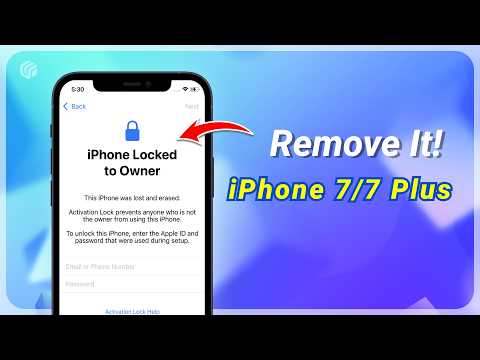
In this video, we will teach you how to use 3uTools to easily remove or bypass iCloud activation lock on iPhone 7 and 7Plus. Whether you encounter activation lock problems after resetting the system after purchasing a second-hand iPhone, or you cannot use the device normally because you forgot the original Apple ID, you can easily rescue it. This video is suitable for all users who need to remove iCloud activation lock, especially iPhone 7 and 7Plus users.
⏱ *TIMESTAMP*
00:00 Intro & Preview
00:31 Method 1: Use 3uTools to Remove iCloud Activation Lock
00:49 Step 1: Start and Connect
01:09 Step 2: Make a USB Flash Drive
01:24 Step 3: Restart and Enter the Boot Menu
02:05 Step 4: Bypass Activation Lock
02:53 Step 5: Smart Refresh Firmware
03:14 Method 2: Use UltFone Activation Unlocker to Remove iCloud Activation Lock (Easy Methods)
*📌Method Breakdown:*
✅More tips here! : https://www.ultfone.com/unlock-iphone/bypass-ios-18.html
💡 *How to Fix iPhone Stuck on Hello Screen 2025*
*Method 1: Use 3uTools to remove iCloud activation lock*
*1. Start and connect*
– Connect iPhone to computer
– Open 3uTools, click the toolbox, and find the “Jailbreak” option
– Select the appropriate jailbreak tool (such as Usb Jailbreak)
*2. Make a USB boot disk*
– Insert a blank USB drive and click “Start Making”
– Make sure the iPhone screen remains on
*3. Restart and enter the boot menu*
– Restart the computer and press F12 to enter the boot menu
– Select the USB storage device and enter the jailbreak wizard
– Press Alt+F2 to open the Checkra1n menu, adjust the settings, and enter DFU mode
*4. Bypass Activation Lock*
– After the device enters DFU mode, start jailbreaking
– After jailbreaking is complete, open the iFRPFILE All IN ONE tool
– Click “BYPASS HELLO SCREEN”, complete the registration, and click again to bypass the activation lock
*5. Smart refresh firmware*
– Reopen 3uTools and select “Smart Refresh” mode
– Download or import the firmware for a quick refresh. After completion, the device can be used normally
*Method 2: Use UltFone Activation Unlocker to remove iCloud activation lock*
*1. Connect the device and launch the software*
– Connect the iPhone to the computer and open UltFone Activation Unlocker
– Click “Start Removal” and the software will automatically download the jailbreak tool
*2. Make a USB boot disk*
– Follow the on-screen instructions to insert a blank USB drive and burn the jailbreak tool
*3. Restart the computer and enter the jailbreak wizard*
– Restart the computer and press F12 to enter the boot menu
– Select the USB storage device and enter the jailbreak wizard
– Enter “Options” and check “Allow untested iOS” and “Skip BPR check”
*4. Enter DFU mode and complete the jailbreak*
– Enter recovery mode and follow the instructions to enter DFU mode
– After the device enters DFU mode, start jailbreaking and wait for completion
*5. Remove iCloud activation lock*
– Restart your computer and enter Windows, open UltFone Activation Unlocker
– Select “Start Removal”, confirm the device information and continue
– Successfully bypass the Hello interface or iCloud activation lock
*6. Set up a new device*
– After the device is successfully unlocked, you can set up a new Apple ID and download apps normally
👇 *You might also want to know*
How to Fake iPhone Location With 3uTools | No jailbreak required https://youtu.be/7hdBB_RRMiQ
How to Fix iPhone Stuck on Attempting Data Recovery Screen iOS 18 https://youtu.be/xurqjgBMmcc
Remove Apple ID
⚠Important notice:
1. This video is only for educational purpose of showing users how to regain access to their own device when they forgot their passwords.
2. This video doesn’t demonstrate how to use computers or information technology with the intent to steal credentials, compromise personal data or cause serious harm to others.
3. The remove Apple ID feature of 4uKey is designed to help users how forgot their own Apple iD or password to regain access to their device.
4. For devices running iOS 11.4 onwards, the remove Apple ID feature of 4uKey will restore the device to factory settings so users can unlock with their passcode.
5. 4uKey is unable to obtain access to credentials, compromise personal data or cause serious harm to others. Do not try to violate YouTube community guidelines.
#removeicloud #bypassicloudactivationlock #iphonetips #ultfone
–––––––––––––Social Media––––––––––––––––––
💡Facebook: https://www.facebook.com/ultfone/
💡Twitter: https://twitter.com/ultfone
💡Instagram: https://www.instagram.com/ultfone/cha…
💡Pinterest: https://www.pinterest.com/ultfone/_cr…
💡UltFone official website: https://www.ultfone.com/
Come on, my hardcore fans, bookmark and follow me~

😍Free Download Tool to Remove iCloud Activation Lock: 👉 https://bit.ly/4iNQY5v
🌎iOS 27 Beta is HERE!🤩Unlock saving today!—✨ 20% Off Code: UF-27BETA-20
I tried on iphone 5c
This doesn’t work it just restored the phone and it’s still activation locked
The sim didn't work again
What is the jailbreak wizard
Is it free to unlock iphone 7+…?
It is locked by owner..?
does this work on iphone xr?
Nah ,it's failed error code -31