

🔓 Recover access to your own Apple device with 4uKey iPhone Unlocker:
► Get 4uKey: https://bit.ly/4x8anpp
► Free Download: https://bit.ly/4o89YiE
⭐ Use code **20UKEY** at checkout to receive **20% OFF**
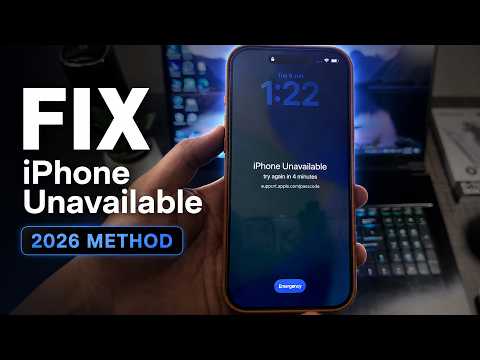
Is your iPhone showing “iPhone Unavailable,” “Security Lockout,” or “iPhone is Disabled” after too many incorrect passcode attempts? In this complete tutorial, I will show you how to reset the forgotten screen passcode on your own iPhone using Tenorshare 4uKey iPhone Unlocker.
In this step-by-step video, you will learn how to fix the iPhone Unavailable screen, reset a forgotten iPhone passcode, place an iPhone into Recovery Mode, download the correct iOS firmware, complete the reset process, and set up the iPhone again.
This tutorial is intended only for legitimate owners recovering access to their own iPhone, iPad, or iPod touch.
⚠️ Use 4uKey only on a device that belongs to you or for which you have clear authorization. Feature compatibility depends on the device model and iOS version. Resetting a forgotten screen passcode may erase the data currently stored on the device, and Apple may still require ownership verification during setup.
WHAT THIS VIDEO COVERS:
✅ How to fix iPhone Unavailable
✅ How to fix Security Lockout on iPhone
✅ How to reset a disabled iPhone
✅ How to remove a forgotten iPhone screen passcode
✅ How to unlock your own iPhone without using iTunes
✅ How to use Tenorshare 4uKey iPhone Unlocker
✅ How to connect an iPhone to a Windows PC or Mac
✅ How to enter Recovery Mode
✅ How to download and verify iOS firmware
✅ How to reset an unavailable iPhone
✅ How to restore data from an existing backup
✅ How to set up Face ID, Touch ID, and a new passcode
✅ The difference between a screen passcode and Activation Lock
SUPPORTED SCREEN LOCKS:
4-digit screen passcode
6-digit screen passcode
Custom numeric passcode
Alphanumeric passcode
Touch ID lock
Face ID lock
iPhone Unavailable
Security Lockout
iPhone is Disabled
Forgotten iPhone passcode
IMPORTANT DATA WARNING:
• Resetting a forgotten iPhone or iPad screen passcode erases the data currently stored on the device.
• This may include photos, videos, contacts, messages, applications, notes, documents, and settings.
• After the reset, you may be able to restore your information if you already have an iCloud backup, a Mac backup, a Windows PC backup, or another Apple device containing your data.
ACTIVATION LOCK INFORMATION:
• The iPhone screen passcode and Apple Activation Lock are two separate protections.
• Resetting the screen passcode does not automatically remove Activation Lock.
• During setup, Apple may request the Apple Account and password previously linked to the device. If you forgot that password, use Apple’s official account-recovery service.
• If you purchased the device from someone else, contact the previous owner and ask them to remove it from their Apple Account. Original owners with valid proof of purchase may also contact Apple Support.
• Do not use this tutorial on a lost, stolen, borrowed, or unauthorized device.
4UKEY IPHONE UNLOCKER FEATURES:
• Reset supported iPhone, iPad, and iPod touch screen passcodes
• Help with iPhone Unavailable and Security Lockout screens
• Remove Apple ID in supported recovery situations
• Remove supported MDM restrictions
• Remove supported Screen Time passcodes
• Provide Activation Lock-related tools for eligible older devices
• Support Windows and macOS computers
COMPATIBILITY:
• Screen-passcode unlocking and other main features support a wide range of current and older iPhone and iPad models and iOS versions.
• The Activation Lock removal feature has more limited compatibility and currently supports eligible devices from iPhone 6s through iPhone X running iOS 12 through iOS 16.7.10.
• Compatibility depends on the selected feature, iPhone model, iPad model, iOS version, and device condition. Check the official 4uKey compatibility information before starting.
IMPORTANT REQUIREMENTS:
• A Windows PC or Mac
• A reliable USB cable
• A stable internet connection
• Enough computer storage for the firmware package
• Access to the Apple Account previously linked to the device
• An existing backup if you want to restore your data
ETHICAL AND LEGAL USE NOTICE:
• This video is provided for educational purposes and legitimate recovery of devices that belong to you or devices for which you have explicit authorization.
• Tenorshare 4uKey is a third-party program and is not an official Apple product.
• Do not use this tool to violate another person’s privacy, access personal information without permission, or interfere with a device that does not belong to you.
If this video helped you fix iPhone Unavailable, Security Lockout, or a disabled iPhone, please like the video, subscribe to iOS Pro Hacker, and turn on notifications for more iPhone tutorials and iOS recovery guides.
#iPhoneUnavailable #iPhone #Apple



iphone 12 ios 26.3 plis
Bro it's free or paid
Hy
Why are they asking me to pay money in my reboot app?
Kalau gaada tanda laptopnya berarti kabel usb nya jelek yah bang