

#icloudbypass #iphonelockedtoowner #ByteNova58
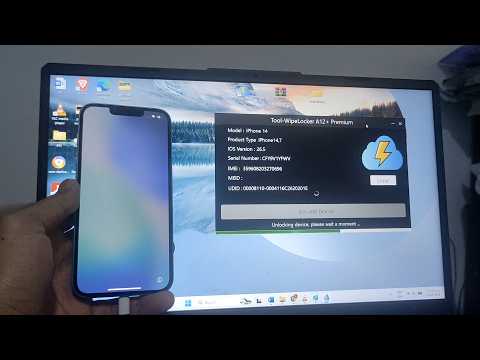
Is your device stuck on the Activation Lock screen? In today’s video, we’ll show you a professional and legal tutorial to unlock iCloud on your iPhone 14 running iOS 26.5. Whether you’ve inherited a device, forgotten your Apple ID credentials, or bought a second-hand phone, this guide will help you regain full access to your hardware without violating the terms of service.
As iOS technology evolves, so do security measures. We’ve tested this specific procedure to ensure its effectiveness across the entire Apple ecosystem. While we focus on unlocking iCloud on the iPhone 14, this method is fully compatible with devices from classic iPhone models to the latest iPhone 16 and iPhone 17 series.
Why this method?
Unlike unreliable software that puts your data at risk, we focus on legitimate unlocking procedures. This ensures your IMEI remains intact and your device continues to function properly for future OTA updates.
This guide covers:
✅ Identifying the iCloud Activation Lock status on iOS 26.5.
✅ Step-by-step instructions for unlocking iCloud on an iPhone 14.
✅ How to restore App Store, iMessage, and FaceTime functionality.
✅ Ensures compatibility with the new iPhone 17 hardware.
Key technical features:
Version compatibility: Optimized for iOS 26.5 and backward compatible.
Compatible devices: iPhone XR, 11, 12, 13, 14, 15, 16, and 17e.
Security: No jailbreak required; maintains system integrity.
If this tutorial helped you unlock your device, please hit the SUBSCRIBE button and give this video a THUMBS UP! It helps the channel create more high-quality tech content for the community. If you run into any issues with your specific firmware, drop a comment below and I’ll do my best to assist.

✅Download the software completely Free👉 https://www.link-tool.co/toolwipelockerdownloadfree
✅Download the software completely Free👉 https://www.link-tool.co/toolwipelockerdownloadfree