
Stuck on Hello? How to Remove iCloud Activation Lock
Your iPhone won’t get past the Hello screen? Here’s what’s happening and how to fix it.
What Is Activation Lock?
When an iPhone is tied to an Apple ID, Apple’s Activation Lock prevents anyone else from setting it up. If you’re stuck on the “Hello” screen and it’s asking for a previous owner’s credentials, Activation Lock is the reason.
This most commonly happens when:
- You bought a used iPhone that wasn’t properly reset
- You received a gifted device where the previous owner forgot to sign out
- You restored your own iPhone but forgot your Apple ID credentials
Fix 1: Ask the Previous Owner to Remove It
This is the quickest and most reliable solution.
Ask the seller or previous owner to:
- Open a browser and go to icloud.com
- Sign in with their Apple ID
- Go to Find My → All Devices
- Select your iPhone and click Remove from Account
Restart the iPhone after — it should proceed past the Hello screen normally.
Fix 2: Use Apple’s Activation Lock Support
If you can’t reach the previous owner, Apple can help if you have proof of purchase.
- Go to apple.com/support
- Select iPhone → Activation Lock
- Submit your request with a copy of your receipt or invoice
Apple reviews these on a case-by-case basis. Having a clear purchase record speeds the process up significantly.
Fix 3: Visit an Apple Store
If you prefer in-person help:
- Book a Genius Bar appointment at apple.com/retail
- Bring your proof of purchase and a valid ID
- Apple staff can verify ownership and escalate your case directly
Fix 4: Check Your Own Apple ID
If this is your own device and you’re locked out of your Apple ID:
- Go to iforgot.apple.com
- Enter your Apple ID email address
- Follow the account recovery steps
Apple’s account recovery process can take a few days but is the only legitimate way to regain access to your own account.
What to Check Before Buying a Used iPhone
Save yourself the headache next time:
- Always ask the seller to tap Settings → [Name] → Sign Out before the handover
- Confirm the phone shows the clean Hello setup screen before paying
- Verify the device status at checkcoverage.apple.com using the IMEI or serial number
A Word of Warning
If you search for “iCloud Activation Lock removal tools” online, you’ll find dozens of websites promising instant unlocks for a fee. Nearly all of them are scams. They either take payment and disappear, or they’re phishing sites designed to steal your own Apple ID. Stick to Apple’s official channels only.
Summary
| Situation | Best Fix |
|---|---|
| Have the previous owner’s contact | Ask them to remove via iCloud.com |
| Have proof of purchase | Contact Apple Support |
| Prefer in-person help | Visit an Apple Store |
| Locked out of your own Apple ID | Use iforgot.apple.com |
Need Help Right Now?
Apple Support is available 24/7 online at apple.com/support and can walk you through every step at no cost.
SEO Meta Title (57 chars): Stuck on Hello? How to Remove iCloud Activation Lock
Meta Description (154 chars): iPhone stuck on the Hello screen due to Activation Lock? Learn the official, step-by-step ways to fix it — including contacting Apple Support and using iCloud.
Focus Keywords:
- stuck on Hello screen iPhone
- remove iCloud Activation Lock
- iPhone Activation Lock fix
- bypass Hello screen iPhone legitimately
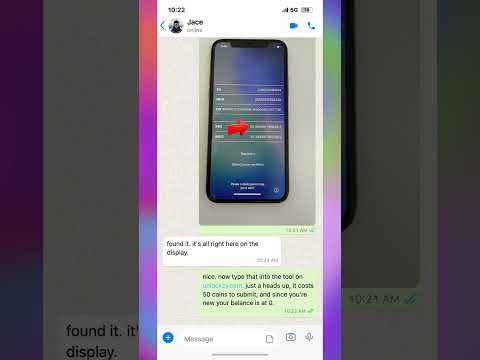
If you recently bought a used iPhone only to find it stuck on the Hello screen, you are likely dealing with an iCloud Activation Lock. This security feature, known as Locked to Owner, prevents unauthorized access to a device, but it can be a major headache when you have purchased a phone legitimately and need to set it up for personal or business use. In this video, we break down the process of identifying your device status using the IMEI or serial number found on the activation screen. You will learn how to navigate the initial setup, locate the necessary device information, and understand the technical steps required to bypass the Apple ID lock. Whether you are prepping a device for a new app or trying to restore a secondary phone, this guide explains the concepts behind removing the cloud restriction so you can finally access your home screen and start using your device as intended. We cover the essential steps to clear the lock and get your iPhone back to fully functional status without the typical setup roadblocks.