
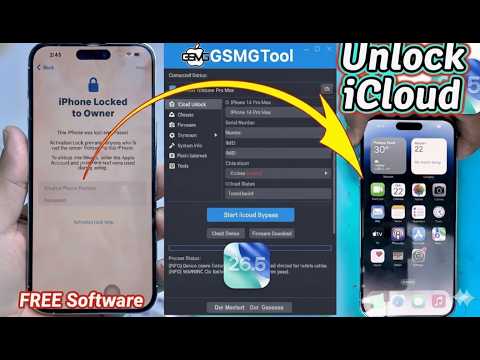

🔥 iOS iCloud Bypass Tutorial with 3uTools Complete Walkthrough ✅
🔥 FREE iCloud Bypass iOS 26.5 – No Apple ID Required (3uTools & New iRemoval PRO Ramsdisk Tool)
⚠️ URGENT REALITY CHECK – READ THIS FIRST
Let’s cut through the hype immediately.
Yes, iOS 26.5 is real – Apple released the second release candidate of iOS 26.5 in May 2026, with beta versions rolling out as early as March 2026 .
But here’s the truth about “free iCloud bypass” tools:
The landscape has changed dramatically. While legitimate bypass tools exist, you need to understand exactly what works, what doesn’t, and what’s dangerous before downloading anything.
📱 What Is iOS 26.5?
Apple released iOS 26.5 as a developer beta and release candidate in early 2026 . This means:
-
Apple continues to strengthen Activation Lock security
-
Newer bypass methods must adapt to these updates
-
Older tools that worked on iOS 26.0 may fail on 26.5
Key point: Any tool claiming “100% success on iOS 26.5” should be treated with extreme skepticism. Apple patches vulnerabilities constantly.
🔍 The Truth About “Free” iCloud Bypass Tools
What Actually Exists
| Tool/Method | Legitimacy | Works on iOS 26.5? | Free? | Risk Level |
|---|---|---|---|---|
| Official Apple ID recovery | ✅ Legitimate | ✅ Yes | ✅ Free | 🟢 Safe |
| Previous owner removal | ✅ Legitimate | ✅ Yes | ✅ Free | 🟢 Safe |
| Apple Support (with receipt) | ✅ Legitimate | ✅ Yes | ✅ Free | 🟢 Safe |
| tr4mpass (open-source) | ✅ Legitimate | ⚠️ Up to 26.1 only | ✅ Free | 🟡 Moderate |
| Dr.Fone – Screen Unlock | ✅ Commercial | ✅ Up to 26.1 | ❌ Paid | 🟢 Safe |
| 3uTools | ✅ Utility tool | ⚠️ Up to iOS 17 | ✅ Free | 🟡 Moderate |
| iRemoval PRO | ⚠️ Unclear | ❓ Unknown | ❌ Usually paid | 🔴 High Risk |
| “Free” YouTube tools | ❌ Scam | ❌ No | ❌ Free (fake) | 🔴 Very High |
🛠️ What Is 3uTools Really?
3uTools is NOT primarily an iCloud bypass tool. Here’s what it actually does :
What 3uTools CAN Do:
-
✅ Manage iOS device data (photos, contacts, files)
-
✅ Flash official and custom iOS firmware
-
✅ One-click jailbreak (for supported iOS versions)
-
✅ Enter/Exit Recovery and DFU Mode
-
✅ View device info (ECID, UDID, Activation Lock status)
-
✅ Backup and restore device data locally
-
✅ Fix update errors and activate iPhones
What 3uTools CANNOT Do:
-
❌ Permanently bypass iCloud Activation Lock on modern devices
-
❌ Work beyond iOS 17 for bypass purposes
-
❌ Remove Apple ID without owner authorization
3uTools is a legitimate, widely-used device management tool used by repair shops worldwide . But it is NOT a magic iCloud unlocker.
🔓 What Is iRemoval PRO Ramsdisk Tool?
This is where things get concerning.
Known Issues:
According to security analysis, iRemoval PRO.exe is an unsigned executable with suspicious characteristics :
| Red Flag | Details |
|---|---|
| Unsigned PE | Missing Authenticode signature – no verified publisher |
| Suspicious sections | Contains .sat and .%{& sections with executable code |
| Large .rsrc section | 54KB of unknown resources |
| No clear origin | Not an officially verified Apple tool |
Important context: The iRemoval Pro/iRemove Tools landscape has been described as “unpredictable” with ongoing controversy . Many users have reported that these tools:
-
Require payment but fail to deliver results
-
Offer only temporary bypasses that break after restart
-
Can potentially install malware or steal data
Bottom line: Exercise extreme caution with iRemoval PRO.
✅ What Actually Works for iCloud Bypass in 2026
Method 1 – Open Source Solution: tr4mpass
This is the most promising legitimate free tool currently available .
Key features:
-
✅ Fully open-source (code is public for review)
-
✅ Runs locally – no servers, no payments, no accounts needed
-
✅ Supports iPhone 5s through iPhone 15 Pro
-
✅ Works on iOS 12 through 26.1
-
✅ Two bypass methods:
-
Path A (checkm8): For A5–A11 chips (iPhone 5s through iPhone X)
-
Path B (session activation): For A12+ chips (iPhone XR through iPhone 15 Pro)
-
Important limitations:
-
⚠️ Currently works only up to iOS 26.1
-
⚠️ iOS 26.2 and later have patched known vulnerabilities
-
⚠️ A potential bypass vector is being researched but not yet implemented
For developers and security researchers: read
26.3-vulnerability.mdfor potential vulnerabilities that could enable bypass on iOS 26.3 and later.
How to use tr4mpass:
-
Clone the repository:
git clone https://github.com/tr4m0ryp/tr4mpass.git -
Run
./start.sh -
Put your device in DFU mode
-
The script handles the rest automatically
Method 2 – Commercial Tool: Dr.Fone – Screen Unlock (iOS)
A legitimate paid alternative that supports newer devices .
Key features:
-
✅ Supports iPhone XR → 17 Pro Max and newer iPads
-
✅ Compatible with iOS 18.6–26.1
-
✅ Built for hard-to-unlock A12 chip iPhones
-
✅ High success rate with results in 1-60 seconds
The process works by bypassing the lock during device setup, not by removing it permanently from Apple’s servers .
Method 3 – Official Apple Methods (Always Free & Safe)
These are the only guaranteed permanent solutions :
| Method | How It Works | Success Rate |
|---|---|---|
| Owner removal | Previous owner removes device from iCloud.com | 100% |
| Account recovery | Regain access to the original Apple ID | 90%+ |
| Apple Support | Submit proof of purchase for manual review | 95%+ |
When neither the account nor the owner can be reached, Apple may remove Activation Lock manually as part of an iOS 26 iCloud Unlock request. This depends on documentation.
🚨 Scam Warning Signs – Don’t Fall for These
Scammers are everywhere. Here’s how to spot fake tools :
Red Flags:
-
❌ “Free iCloud bypass – no Apple ID required” (on modern iOS)
-
❌ Requires completing surveys to “unlock” the tool
-
❌ Asks for your Apple ID password
-
❌ Claims 100% success on all devices
-
❌ Uses scare tactics to rush you
-
❌ Unverified EXE files (like iRemoval PRO.exe which is unsigned)
-
❌ YouTube tutorials with suspicious download links
Real Apple Security Warning:
“Apple will never ask you to log in to any website, or to tap Accept in the two-factor authentication dialog, or to provide your password, device passcode, or two-factor authentication code.”
If a tool asks for your Apple ID credentials – it’s a phishing scam.
📊 Summary – Your Options at a Glance
| Situation | Recommended Solution | Cost |
|---|---|---|
| You know the owner | Ask them to remove the device via iCloud | Free |
| You have proof of purchase | Contact Apple Support | Free |
| You have an A5–A11 device on ≤26.1 | Try tr4mpass (open-source) | Free |
| You have an A12+ device on ≤26.1 | Consider Dr.Fone (legitimate paid tool) | Paid |
| iOS 26.2 or newer | Wait for research updates or contact Apple | Free |
| You see “free iRemoval PRO” | 🚨 AVOID – it’s unsafe | Could cost you everything |
🔚 Final Verdict
Does a FREE, permanent iCloud bypass for iOS 26.5 exist?
The honest answer: No – not yet.
-
tr4mpass works up to iOS 26.1 and is actively researching newer versions
-
iOS 26.5 is too new for any verified bypass method
-
Claims of a “free iOS 26.5 bypass” are currently scams or misinformation
What you should do:
-
If you’re the rightful owner – Contact Apple Support or use account recovery
-
If you bought a locked device – Contact the seller immediately for a refund
-
If you have an A5–A11 device on iOS ≤26.1 – Try tr4mpass
-
If you have a newer device – Wait or pursue official channels
Never download random “free bypass” executables from unknown sources. They can steal your data, infect your computer, or worse.
Stay safe. Stay informed. And always verify before downloading.
In this video, we check out a complete step-by-step walkthrough using 3uTools to manage iOS device activation states. Learn how the flashing process works on supported devices and how to navigate the activation lock screens successfully without complications.
If you are looking for a straightforward guide on using 3uTools flash features for device management, this video covers everything you need to know.
#iCloudBypass #3uTools #iOSUnlock #ActivationLock #GSMGermany



is it total 100% free
Yeees🎉🎉🎉 thank you
Does it work on iphone 13