
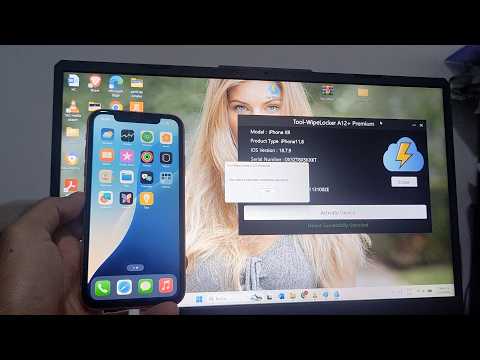

Looking for an “iOS 18.7.9 Activation Lock Bypass Tool Free”? Before downloading any unknown software, watch this video to understand the real risks and the legal ways to remove iCloud Activation Lock from your iPhone running iOS 18.7.9.
Many “free bypass tools” for iOS 18.7.9 are linked to malware, scams, or unauthorized access that can permanently damage your device. In this guide, we show you the safe, official methods to regain access to an iPhone you legally own — including Apple ID recovery, proof of purchase verification, and Apple’s official Activation Lock support.
✅ iOS 18.7.9 Activation Lock & Hello Screen explained
✅ The truth behind “Free Activation Lock Bypass Tools”
✅ Legal ways to remove iCloud lock on iOS 18.7.9
✅ How to recover your Apple ID and password
✅ How to remove a previous owner’s Apple ID legally
✅ Why free bypass tools are a security risk in 2026
✅ How to check Activation Lock status before buying used
✅ Official Apple iCloud removal with proof of purchase
✅ Safe alternatives to third-party unlock tools
How to unlock icloud locked iphone ios 18.7.9, iphone xs max locked to owner bypass, icloud removal tool, erase iphone without apple id password, iphone xr icloud bypass ios 15, remove icloud lock ipad, icloud bypass ios 18.7.8, iphone xr, bypass activation lock screen, how to turn find my iphone, blacklist, passcode, lost, apple id, stolen, iphone disabled, bypass ios 26.6.
👍 If this guide helped you understand how to handle Activation Lock on iOS 18.7.9, please LIKE 👍, SUBSCRIBE 🔔, and SHARE this video responsibly!
⚠️ IMPORTANT DISCLAIMER:
This video is for educational purposes only and is intended for users who legally own their device or have permission from the rightful owner. We do NOT provide illegal Activation Lock bypass, stolen device unlocking, or unauthorized Apple ID access. Always use official methods to regain access to your iPhone.



➡Link to download Tool-WipeLocker for free👉 https://www.link-tool.co/free-download-toolwipelocker
➡Link to download Tool-WipeLocker for free👉 https://www.link-tool.co/free-download-toolwipelocker