
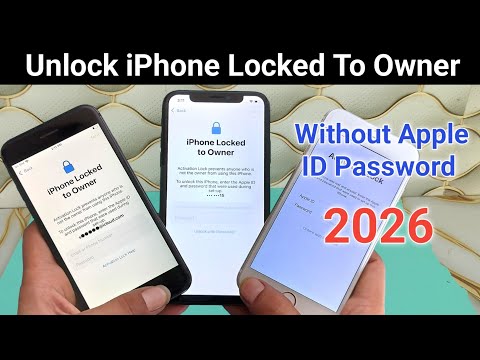

Any iPhone 100% Fix iPhone Locked To Owner | How To Unlock iCloud Activation Lock All iOS Support
⚠️ IMPORTANT DISCLAIMER – READ THIS FIRST
Before we begin, let’s set realistic expectations.
There is NO single tool that works on “any iPhone” running “any iOS version.”
iCloud Activation Lock bypass methods depend on three critical factors:
| Factor | Why It Matters |
|---|---|
| iPhone Model | Older models (iPhone 5s–X) use checkm8 exploit; newer models (XR–17) use session activation |
| iOS Version | Tools support specific iOS ranges – iOS 26.2+ has NO working bypass tools |
| Ownership Status | You must own the device legally – bypassing stolen devices is illegal |
The good news: There ARE legitimate ways to unlock any iPhone, regardless of model or iOS version. The key is choosing the right method for YOUR specific situation.
🔍 What Is iCloud Activation Lock?
Activation Lock is Apple’s anti-theft feature. When enabled:
-
The device is permanently linked to the owner’s Apple ID
-
Find My iPhone is active
-
The device cannot be activated without the correct credentials
-
Even a factory reset won’t remove the lock
On iOS 26, this link is enforced more strictly. Restoring the device through Finder or iTunes is no longer enough – if the device is still linked to an Apple ID, setup will not continue.
✅ METHOD 1: Official Apple Methods (Works on ALL iOS Versions)
These are the only guaranteed permanent solutions – and they’re completely free.
1A – Remove via iCloud.com
Requirements: You have access to the original Apple ID and password.
| Step | Action |
|---|---|
| 1 | Go to icloud.com/find |
| 2 | Sign in with the Apple Account linked to the device |
| 3 | Select the device from the list |
| 4 | Click “Remove This Device” |
Once removed, Activation Lock stops appearing during setup, and the phone behaves like a new device.
1B – “Unlock with Passcode” (iOS 26+ Feature)
Requirements: Two-Factor Authentication was enabled, and you know the screen passcode.
| Step | Action |
|---|---|
| 1 | Reach the Activation Lock screen |
| 2 | Look for “Unlock with Passcode” |
| 3 | Tap “Use Device Passcode” |
| 4 | Enter the screen passcode |
1C – Ask the Previous Owner
If you bought a second-hand iPhone, this is the easiest and most reliable solution.
What the previous owner needs to do:
-
Go to icloud.com/find
-
Sign in with their Apple Account
-
Select the device and click “Remove This Device”
This method permanently removes Activation Lock and works on all iPhone models and iOS versions.
1D – Apple Support with Proof of Purchase
Requirements: Original purchase receipt with serial number/IMEI + government-issued ID.
-
Go to Apple’s Activation Lock support request page
-
Submit your proof of purchase documentation
-
Apple verifies ownership and removes the lock
🛠️ METHOD 2: Free Open-Source Tools (iOS 12 – 26.1)
2A – tr4mpass (Best Free Option)
tr4mpass is a free, open-source tool that removes iCloud Activation Lock entirely from your computer.
| Feature | Detail |
|---|---|
| Cost | ✅ Completely free |
| Offline | ✅ No servers, no accounts, no payments |
| iOS Support | iOS 12 through 26.1 ONLY |
| Devices | iPhone 5s through iPhone 15 Pro |
| Platform | macOS, Linux, Windows (via WSL) |
Supported Devices (Signal Preserved):
| Device | Chip | Signal |
|---|---|---|
| iPhone 6s / 6s Plus | A9 | ✅ Yes |
| iPhone SE (1st gen) | A9 | ✅ Yes |
| iPhone 7 / 7 Plus | A10 | ✅ Yes |
| iPhone 8 / 8 Plus | A11 | ✅ Yes |
| iPhone X | A11 | ✅ Yes |
| iPhone XR / XS / XS Max | A12 | ✅ Yes |
| iPhone 11 series | A13 | ✅ Yes |
| iPhone 12 series | A14 | ✅ Yes |
| iPhone 13 series | A15 | ✅ Yes |
| iPhone 14 series | A15–A16 | ✅ Yes |
| iPhone 15 series | A16–A17 | ✅ Yes |
How to Use tr4mpass:
git clone https://github.com/tr4m0ryp/tr4mpass.git
cd tr4mpass
./start.sh
The script will automatically install everything, detect your device, guide you into DFU mode, and run the bypass.
Entering DFU Mode:
| Device Type | Steps |
|---|---|
| iPhone 7 and older (Home button) | Hold Power + Home for 10 sec → Release Power, hold Home 5 more sec |
| iPhone 8, X, and newer (Face ID) | Quick-press Vol Up → Quick-press Vol Down → Hold Side until black → Hold Side + Vol Down 5 sec → Release Side, hold Vol Down 10 sec |
⚠️ Important: tr4mpass only supports up to iOS 26.1. For iOS 26.3 and later, developers are researching potential vulnerabilities.
2B – LIBRE-HACKTIVATOR_iOS_12-16
An open-source toolkit for checkm8-compatible devices (A8–A11 chips).
| Feature | Detail |
|---|---|
| Cost | ✅ Free |
| iOS Support | iOS 12 through 16 |
| Devices | A8–A11 chips (iPhone 6s through X) |
| Features | MDM bypass, activation lock bypass, iCloud bypass, setup.app bypass |
🛠️ METHOD 3: Paid Commercial Tools
3A – Dr.Fone – Screen Unlock (iOS)
A legitimate commercial tool for iCloud Activation Lock removal.
| Feature | Detail |
|---|---|
| Cost | Paid |
| iOS Support | iOS 18.6 – 26.1 (except 18.7.3) |
| Devices | iPhone XR through iPhone 17 Pro Max |
| No Jailbreak | ✅ On iOS 16.4 and later |
How it works: Bypasses the lock during the setup phase using a computer-based workflow. Results can be delivered in 1-60 seconds.
3B – iToolab UnlockGo
An all-in-one iPhone and iPad lock removal tool.
| Feature | Detail |
|---|---|
| Cost | Freemium (Trial + Paid) |
| iOS Support | iOS 12.0 – 26.1 |
| Devices | iPhone 5s through iPhone 17 |
| Platform | Windows & macOS |
| No Jailbreak | ✅ On iOS 16.4 and later |
Key features:
-
iCloud Activation Lock bypass
-
Apple ID removal without password
-
MDM bypass
-
Screen Time passcode reset
What to expect after bypass (iOS 16.4–26.1, no jailbreak):
-
Device can be restarted or restored freely and stays unlocked
-
You can sign into a new Apple ID for the App Store
-
Cellular calls and data are NOT available – Wi-Fi works fully
3C – iRemoval PRO
A well-known iCloud bypass tool in the device-unlocking community.
| Feature | Detail |
|---|---|
| Cost | Paid (Premium Edition) |
| iOS Support | Primarily iOS 18.5 |
| Devices | iPhone XS through iPhone 16 Pro Max (A12–A18) |
| Platform | Windows |
⚠️ OFFICIAL WARNING: iRemoval PRO’s developers have publicly stated that reports claiming support for iOS 26.2, 26.3, and 26.4 are completely false. The team confirmed: “Be aware that there is no iCloud bypass beyond iOS 26.1”.
“All information circulating about a new iRemoval PRO update is completely fake” – iRemoval PRO Team
📊 Method Comparison – At a Glance
| Method | Cost | iOS Support | Device Support | Permanent? | Signal? |
|---|---|---|---|---|---|
| iCloud.com removal | Free | All versions | All devices | ✅ Yes | ✅ Yes |
| Apple Support | Free | All versions | All devices | ✅ Yes | ✅ Yes |
| Previous owner | Free | All versions | All devices | ✅ Yes | ✅ Yes |
| “Unlock with Passcode” | Free | iOS 26+ | All iOS 26+ devices | ✅ Yes | ✅ Yes |
| tr4mpass | Free | 12–26.1 | 5s–15 Pro | ⚠️ Varies | ✅ Most |
| LIBRE-HACKTIVATOR | Free | 12–16 | A8–A11 | ⚠️ Varies | ⚠️ Varies |
| Dr.Fone | Paid | 18.6–26.1 | XR–17 Pro Max | ⚠️ Varies | ❌ WiFi only |
| iToolab UnlockGo | Paid | 12–26.1 | 5s–17 | ⚠️ Varies | ❌ WiFi only |
| iRemoval PRO | Paid | Up to 26.1 | XS–16 Pro Max | ⚠️ Varies | ⚠️ Varies |
❌ iOS 26.2+ – The Critical Warning
There is NO working iCloud bypass for iOS 26.2 or higher.
| iOS Version | Bypass Status |
|---|---|
| iOS 12 – 26.1 | ✅ Supported by multiple tools |
| iOS 26.2 – 26.4 | ❌ NO verified tools exist |
| iOS 26.5 | ❌ NO verified tools exist |
The MobileGestalt.plist exploit – which powered most modern A12+ bypass tools – was patched in iOS 26.2. Developers are still working on future updates but have offered no timeline.
If you’re on iOS 26.2 or higher, your only options are official methods:
-
✅ “Unlock with Passcode” (if available)
-
✅ Contact the previous owner
-
✅ Apple Support with proof of purchase
🚨 Scam Warning – How to Spot Fake Tools
| Red Flag | What It Means |
|---|---|
| “100% works on any iPhone any iOS” | ❌ Impossible – methods vary by device and iOS |
| “Free iOS 26.5 bypass tool” | ❌ Fake – no verified tool exists |
| Requires completing a survey | They make money from your clicks, not from the tool |
| Asks for your Apple ID password | Phishing scam – never share your credentials |
| Unverified EXE download | Likely malware or virus |
| Claims from unofficial sources | Fake – legitimate updates come through official channels first |
“Fake update claims are a common tactic used to distribute malware or collect payments for software that doesn’t exist.”
📋 What to Do – Decision Guide
If You’re the Rightful Owner:
| Your Situation | Best Action |
|---|---|
| You remember Apple ID password | Remove via icloud.com/find – free & permanent |
| You know device passcode (iOS 26+) | Use “Unlock with Passcode” – free & permanent |
| You have proof of purchase | Contact Apple Support – free & permanent |
| You can contact previous owner | Ask them to remove from iCloud – free & permanent |
If You’re on iOS 26.1 or Lower (No Owner Access):
| Your Device | Best Tool |
|---|---|
| iPhone 5s – 15 Pro | tr4mpass – free, open-source |
| iPhone XR – 17 (user-friendly) | Dr.Fone or iToolab UnlockGo – paid |
| A8–A11 devices (iOS 12–16) | LIBRE-HACKTIVATOR – free |
If You’re on iOS 26.2 or Higher:
| Your Situation | Best Action |
|---|---|
| You own the device | Use official methods only – no third-party tools exist |
| You bought it used | Contact the seller for a refund |
| You have proof of purchase | Contact Apple Support |
🔚 Final Verdict
Can you fix “iPhone locked to owner” on any iPhone with any iOS?
The honest answer: YES – through official Apple methods.
| Method | Works on All iOS? | Works on All Devices? |
|---|---|---|
| Official Apple methods | ✅ Yes | ✅ Yes |
| tr4mpass | ❌ Up to 26.1 only | ❌ 5s–15 Pro only |
| Dr.Fone / UnlockGo | ❌ Up to 26.1 only | ❌ Limited models |
| iRemoval PRO | ❌ Up to 26.1 only | ❌ Limited models |
What you should do:
-
If you’re the rightful owner – Use official methods. They’re free, permanent, and work on every device.
-
If you’re on iOS 26.1 or lower – tr4mpass (free) or Dr.Fone/UnlockGo (paid) are viable options.
-
If you’re on iOS 26.2 or higher – Only official methods work. No third-party bypass exists.
-
If you see a “free iOS 26.5 bypass” – AVOID – it’s almost certainly a scam.
Never download random bypass executables from unknown sources. They can steal your data, infect your computer, or worse.
Stay safe. Stay informed. Always verify through official channels before downloading anything.
💬 FAQ – iPhone Locked To Owner
Q: Can I unlock any iPhone locked to owner?
A: Yes – through official methods (Apple Support, previous owner, iCloud.com). Third-party tools have limitations.
Q: Is there a tool that works on all iOS versions?
A: No – most tools only support up to iOS 26.1. iOS 26.2+ has NO working third-party bypass tools.
Q: What’s the best free tool for iCloud bypass?
A: tr4mpass – free, open-source, supports iOS 12–26.1, iPhone 5s–15 Pro.
Q: Can Apple remove Activation Lock without a receipt?
A: No – Apple strictly requires proof of purchase.
Q: Does iRemoval PRO support iOS 26.5?
A: No – the developers have confirmed that reports of iOS 26.2–26.4 support are completely false.
Q: Will a factory reset remove Activation Lock?
A: No – Activation Lock is checked at activation, not during restore.
Q: Is it legal to bypass iCloud Activation Lock?
A: Yes – if you are the rightful owner. It becomes illegal only when used on a stolen or lost device.



Any iPhone 100% Fix iPhone Locked To Owner | How To Unlock iCloud Activation Lock All IOS Support
Use PassFab (https://bit.ly/49Fn1BX)