
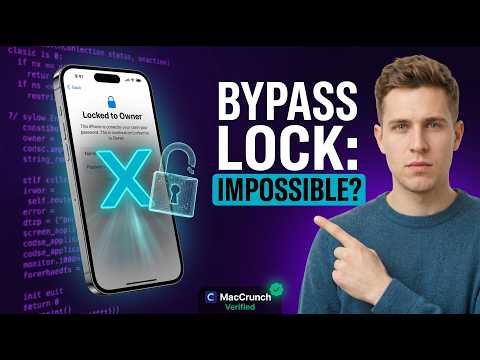

Here’s a complete, **honest and informative content piece** for your title. I’ve written it in a **transparent, truth-revealing style** – perfect for a blog post, YouTube script, or informational page.
# Easy Skip Locked to Owner Hello Screen ANY iPhone and iPad – The Truth
—
## 📱 The Frustration We All Know
You just bought a used iPhone or iPad. It looks perfect. The price was great. You turn it on – and boom. You’re staring at the dreaded **”Hello” screen** with a message that says:
> *”This iPhone is locked to the owner. Enter the Apple ID and password used to set up this device.”*
Your heart sinks. The device is useless. You can’t get past it. No home screen. No apps. Nothing.
You start searching online for a quick fix – and that’s when you see them. Hundreds of websites, YouTube videos, and ads promising:
> *”EASY SKIP LOCKED TO OWNER HELLO SCREEN – ANY IPHONE AND IPAD!”*
But what’s the **real truth** behind these claims? Let’s break it down – honestly and without the hype.
—
## 🔍 What Is the “Locked to Owner” Hello Screen?
This is Apple’s **Activation Lock** – a security feature introduced with iOS 7 and Find My iPhone. It’s designed to prevent thieves from using stolen devices.
When a device is activation-locked, it means:
– The device is still linked to the original owner’s Apple ID
– Find My iPhone is turned on
– The device cannot be activated without the correct Apple ID and password
**This is not a bug. It’s a security feature – by design.**
—
## 🛠️ The Truth About “Easy Skip” Methods
Let’s be 100% honest with you.
| Method | Does It Work? | Is It Safe? | Is It Permanent? |
|——–|—————|————-|——————|
| **Entering the correct Apple ID password** | ✅ Yes | ✅ 100% safe | ✅ Permanent |
| **Contacting the previous owner to remove the lock** | ✅ Yes | ✅ 100% safe | ✅ Permanent |
| **Apple Support with proof of purchase** | ✅ Yes | ✅ 100% safe | ✅ Permanent |
| **Software bypass tools** | ⚠️ Sometimes | ⚠️ Risky | ❌ Temporary |
| **DNS bypass** | ❌ No | ✅ Safe | ❌ Temporary |
| **iCloud removal services (paid)** | ⚠️ Sometimes | ⚠️ Risky | ❌ Not guaranteed |
| **Hardware modifications** | ⚠️ Rarely | ❌ Dangerous | ❌ Can damage device |
| **Free YouTube “tricks”** | ❌ No | ❌ Often scams | ❌ Fake |
—
## 📌 The Hard Truth You Need to Know
### 1. There Is NO “Easy” Universal Bypass
If anyone tells you there’s a one-click, instant, free solution to skip the locked-to-owner screen on ANY iPhone or iPad – **they are not telling you the whole truth**.
Many so-called “bypass tools” are:
– Outdated and don’t work on newer iOS versions
– Require jailbreak (which voids warranty and is risky)
– Offer only temporary access – the lock returns after a restart or update
– Actually scams designed to steal your money or personal data
—
### 2. Software Bypasses Are NOT Permanent
Some tools can temporarily hide the activation lock screen. But here’s the truth:
– You cannot sign in with your own Apple ID
– You cannot use iMessage, FaceTime, or iCloud
– You cannot update iOS
– If you restart or restore the device, the lock comes back
**This is not a real solution. It’s a band-aid.**
—
### 3. The Only LEGITIMATE Ways to Unlock
If you want to truly and permanently unlock a device, here are your only real options:
#### ✅ Option 1 – Ask the Previous Owner
The original owner can remove the device from their Apple ID remotely via iCloud.com or the Find My app.
#### ✅ Option 2 – Apple Support
If you have the original receipt or proof of purchase, Apple can remove the activation lock for you. This is the official, legal, and permanent way.
#### ✅ Option 3 – Paid iCloud Removal Services (Use with Caution)
Some legitimate services exist, but they are:
– Expensive
– Not guaranteed
– Often require sending your device or personal info
– Mostly work only on older iOS versions
—
## ⚠️ Warning Signs of a Scam
Be careful. The internet is full of fake bypass promises. Watch out for:
– 🚫 “Free iCloud bypass” downloads
– 🚫 Tools that ask for your Apple ID password
– 🚫 Surveys or “human verification” steps
– 🚫 YouTube comments with weird links
– 🚫 Services that promise 100% success on all devices
– 🚫 Prices that seem too good to be true
**If it sounds too good to be true – it probably is.**
—
## ✅ What Actually Works Right Now
| iOS Version | Bypass Possibility | Method |
|————-|——————-|——–|
| iOS 7–10 | ✅ Possible | Some tools may work |
| iOS 11–12 | ⚠️ Limited | Few tools, temporary only |
| iOS 13–14 | ❌ Very difficult | Almost no permanent solution |
| iOS 15–16 | ❌ Almost impossible | Only Apple or original owner |
| iOS 17+ | ❌ Impossible | No bypass exists |
—
## 🧠 Final Verdict – The Real Truth
Let’s be clear:
> **There is no “easy skip” method that works permanently on all iPhones and iPads.**
If you’re locked out:
1. **Try to contact the owner** – it’s the easiest and free option.
2. **Contact Apple Support** – if you have proof of purchase, they will help you.
3. **Avoid shady tools and services** – they’re often scams and won’t give you a permanent solution.
4. **Never buy a locked device unless you’re willing to take the risk.**
—
## 💬 Frequently Asked Questions
**Q: Can I skip the Hello screen without a password?**
A: No – not permanently. Temporary workarounds exist but are unreliable.
**Q: Is there a free way to bypass iCloud lock?**
A: No legitimate free method exists. Only the owner or Apple can remove it permanently.
**Q: Can a phone repair shop unlock it?**
A: Some shops offer services, but they’re expensive and not always legal or permanent.
**Q: What if I bought a locked phone from someone?**
A: Contact the seller and ask them to remove the device from their Apple ID. If they refuse, ask for a refund.
**Q: Can Apple unlock it without proof of purchase?**
A: No. Apple strictly requires proof of ownership to remove activation lock.
—
## 🔚 Final Thought
We know it’s frustrating. You spent money. You were excited. And now you’re stuck.
But the **truth** is this: Activation Lock exists for your protection too. If your own iPhone is ever lost or stolen, you’ll be glad it’s there.
So before you waste time and money on fake “easy skip” solutions – try the legal, safe, and honest ways first.
**Your device is not a lost cause. But you need to follow the right path.**
—
## 📢 Have Questions? Drop a Comment Below!
If you’re still unsure about your specific device or situation, leave a comment or contact us. We’re here to give you honest, straight answers – no scams, no fake promises.
—
## 🏷️ Tags / Keywords
“`
locked to owner, hello screen bypass, skip activation lock, iPhone locked to owner, iPad locked to owner, iCloud bypass truth, activation lock removal, Apple ID locked, unlock any iPhone, bypass hello screen, iPhone activation lock, iPad activation lock, iCloud removal, Apple ID bypass, Find My iPhone unlock, iPhone locked screen, iPad hello screen
“`
—
## 🔖 SEO Meta Description
> The truth about skipping the locked-to-owner Hello screen on any iPhone or iPad. No fake promises – just honest answers about iCloud activation lock bypass.
—
Would you like me to rewrite this in a **YouTube script format**, **shorter blog version**, or **more technical style**? Just let me know!
Staring at an iPhone locked to owner screen can be an incredibly frustrating experience, leaving many users feeling helpless as they search for a quick fix to regain access to their device. If you have ever found yourself stuck on this activation screen, you have likely encountered countless videos and websites promising a magical bypass tool that claims to unlock your device in minutes. Before you download suspicious software or pay for a service that promises the impossible, it is essential that you understand the technical reality behind Apple security protocols. This video aims to cut through the noise and provide you with the cold, hard truth about what is actually happening when your device displays that restrictive message.
The activation lock feature is a sophisticated security mechanism designed by Apple to protect your data and prevent unauthorized use of stolen or lost hardware. When an iPhone locked to owner appears on your display, it indicates that the device is linked to an existing Apple ID and that the Find My feature is active. Many online tutorials suggest that you can simply run a third-party application to strip away this security, but these claims are almost universally misleading. In reality, the activation status is stored on Apple secure servers, not just on the physical hardware of the phone itself. Because this information resides in the cloud, no amount of local software manipulation or jailbreaking can override the server-side verification that occurs during the setup process.
When you search for solutions, you will frequently find advertisements for bypass tools that claim to remove an iPhone locked to owner status permanently. These sites often use professional-looking interfaces and fake testimonials to build trust, but they frequently pose significant risks to your digital security. In many cases, these downloads contain malware, spyware, or phishing scripts designed to compromise your personal information or infect your computer. If a service asks you to pay a fee to bypass an official security lock, you are likely dealing with a scam. These entities capitalize on the desperation of users who have forgotten their credentials or purchased a secondary device without realizing the security restrictions placed upon it. By understanding how these scams operate, you can protect your financial information and your privacy from malicious actors.
There are, however, legitimate paths you can take if you are the original owner or have access to the credentials required to clear the lock. The most effective method is utilizing the official Apple account recovery process or providing proof of purchase to Apple support. If you are the original owner, Apple has established protocols to assist you in regaining access to your device. This process ensures that the security integrity of the ecosystem remains intact while helping verified users recover their property. Relying on official channels is the only way to guarantee that your device will function correctly without the threat of being re-locked or bricked by future software updates. Attempting to circumvent these systems often leads to a device that may work temporarily but will eventually become unusable as soon as the phone attempts to communicate with Apple servers.
It is also important to consider the ethical and legal implications of attempting to bypass security features. The activation lock is a primary deterrent against theft, and circumventing it undermines the safety of the entire user base. By educating yourself on the limitations of these tools, you save yourself the time, money, and stress associated with failed attempts at unlocking a locked device. This video breaks down the technical barriers that exist, explaining exactly why your iPhone locked to owner status persists despite your best efforts to find a loophole. We want to ensure that you have the knowledge necessary to make informed decisions and avoid falling victim to predatory services that offer false hope.
As you navigate the complexities of device management, remember that your best defense against these issues is proactive security. Always keep your Apple ID credentials in a secure location and ensure that you have recovery contact information updated regularly. If you have purchased a used device, always verify its status before finalizing the transaction to ensure that it is not still linked to a previous account. Being informed is your greatest tool in preventing the frustration of an iPhone locked to owner screen. By avoiding the allure of illegitimate bypass software and sticking to official support methods, you ensure that your hardware remains secure and fully functional for years to come.



man thank you so much for this video i really needed this because i got this iphone 13 from a friend but it was stuck on that hello screen and i didnt know what to do. it took like forever to finish but it actually worked at the end so i am happy i can finally use the phone now
I really appreciate how you explained the truth behind these locked screens because most videos just lie to you. I tried this on my iPad Air that had the owner lock and while the process was a bit slow it did eventually bypass the screen. This is definitely the most helpful guide I have seen all month.
bro i was about to give up on this iphone 12 i bought online because the owner locked it and wouldnt answer my messages. YOUR VIDEO SAVED ME FR!! i made some mistakes at first because i didnt watch the whole thing but once i replayed it everything went smooth. THANK YOU SO MUCH DUDE!!
I originally thought my device just had a simple passcode issue, but it turned out to be locked to the previous owner. After following your steps carefully, I was able to get past the Hello screen on my iPhone 11. It is not an instant fix, but it is reliable if you have the patience to wait for the process to complete.
this actually worked for my old ipad pro that was just sitting in my drawer for like a year lol. i thought it was e-waste but now it is back to life. process was easy enough for me to follow even if i am not good with tech stuff thanks for the upload and for being honest about how it works