
iPhone locked to owner? How to unlock guide: https://bit.ly/42oxWMy
This video is for educational purposes and legitimate device owners only. It does not bypass iCloud Activation Lock or help unlock unauthorized devices.
Download Wondershare Dr.Fone:
https://bit.ly/3R3oZWo
Reset Apple ID:
http://iforgot.apple.com/password/verify/appleid
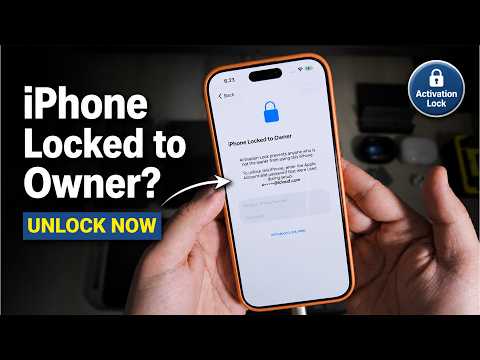
Is your iPhone stuck on the “iPhone Locked to Owner” or Activation Lock screen after reset? In this video, I explain why this problem happens, what Activation Lock means, and what safe options are available if this is your own iPhone.
Activation Lock usually appears when Find My iPhone was enabled before the device was erased or reset. During setup, the iPhone may ask for the Apple ID and password that were previously used on that device. This is Apple’s security feature to protect iPhones from unauthorized use.
In this tutorial, I show the Activation Lock screen on an iPhone, explain why it appears, and then test Wondershare Dr.Fone to check the available iPhone unlock and repair options. I also explain the difference between iCloud Activation Lock and normal iPhone screen passcode lock, because both are not the same thing.
Dr.Fone is a mobile toolkit that includes different features such as iOS Screen Unlock, Apple ID removal for supported situations, Activation Lock related options for supported devices and iOS versions, MDM removal, Screen Time passcode removal, system repair, data recovery, phone manager, data transfer, backup, restore, and more.
Important:
This video is only for educational purposes and for legitimate device owners. This video does not bypass iCloud Activation Lock on stolen or unauthorized devices. If your iPhone is locked to another owner, you should contact the previous owner, ask them to remove the device from their Apple ID, or contact Apple Support with valid proof of purchase.
In this video, you will learn:
What “iPhone Locked to Owner” means
Why Activation Lock appears after resetting an iPhone
What to do if you forgot your Apple ID password
How to check Wondershare Dr.Fone unlock options
How to use Dr.Fone Screen Unlock option
How to put iPhone into Recovery Mode
Difference between screen passcode lock and Activation Lock
Supported device and iOS version warning
Why Activation Lock support depends on model and iOS version
Safe recovery options for your own iPhone
What to do if you bought a second-hand locked iPhone
Chapters:
00:00 Introduction
00:10 iPhone Locked to Owner Explained
00:26 Safety Notice
00:55 Official Recovery Options
01:18 Wondershare Dr.Fone Overview
01:53 Connect iPhone and Open Toolbox
02:16 Activation Lock Option
02:23 Compatibility Warning
03:01 Other Dr.Fone Tools
03:43 iOS Screen Unlock Demo
04:16 Recovery Mode Guide
04:48 Download Firmware
04:57 Data Loss Warning
05:06 Start Unlock Process
05:42 Activation Lock vs Screen Passcode
06:02 Final Reminder
06:04 Outro
Note:
If Activation Lock appears, you may still need the Apple ID and password previously linked to the iPhone. If you are the original owner, use Apple account recovery or contact Apple Support with proof of purchase. If you bought the iPhone used, contact the seller or previous owner to remove it from their Apple ID.
If this video helped you, please like the video, subscribe to iOS Pro Hacker, and press the bell icon for more iPhone tutorials, iOS fixes, software reviews, and useful tech guides.
#iPhoneLockedToOwner #ActivationLock #DrFone #iPhoneUnlock #iOSProHacker #iPhoneTutorial #iOSFix