
Bypass iCloud Lock on iPhone with PassFab iPhone Unlock: https://bit.ly/4sBsqkC 👈👈
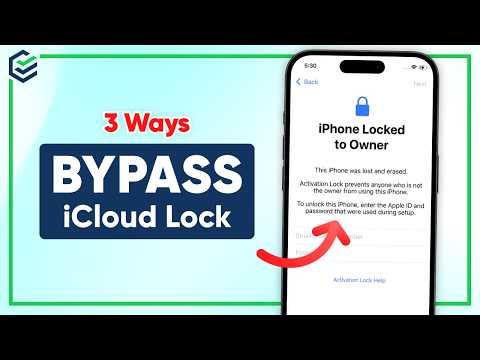
If your iPhone is stuck on the “iPhone Locked to Owner” screen after a reset, it means the iCloud Activation Lock is enabled. Without the original Apple ID and password, you won’t be able to access the device.
In this video, we’ll show you 3 practical ways to bypass iCloud lock and remove the iPhone Locked to Owner screen, including passcode unlock, DNS bypass, and a professional iCloud lock removal tool.
⏰Timestamps:
00:00 Intro
00:28 Method 1: iCloud Lock Bypass with Device Passcode
01:04 Method 2: DNS iCloud Lock Bypass
01:59 Method 3: Bypass iCloud Lock with PassFab
📖Related Article:
5 iCloud Bypass Methods: How to Bypass iCloud Lock
https://www.passfab.com/icloud/how-to-bypass-icloud-lock.html
📖Related Guide:
How to Use PassFab iPhone Unlocker
https://www.passfab.com/guide/how-to-use-iphone-unlocker.html
#icloudunlock #iphonelockedtoowner #passfab #forgotappleid
⚠IMPORTANT NOTICE:
1. This video is only for educational purposes of showing users how to regain access to their own device when they forgot their passwords.
2. PassFab iPhone Unlocker will erase all content and settings from the device just like iTunes.
3. You can restore your device from a backup after the unlocking if you have backups stored in iCloud or your computer.
4. PassFab iPhone Unlocker is unable to obtain access to credentials, compromise personal data or cause serious harm to others. Do not try to violate YouTube community guidelines.
———————-Social Media———————-
Website: https://www.passfab.com
YouTube: https://www.youtube.com/passfab?sub_confirmation=1
Pinterest: https://www.pinterest.com/passfab/
Instagram: https://www.instagram.com/passfabsoftware/