
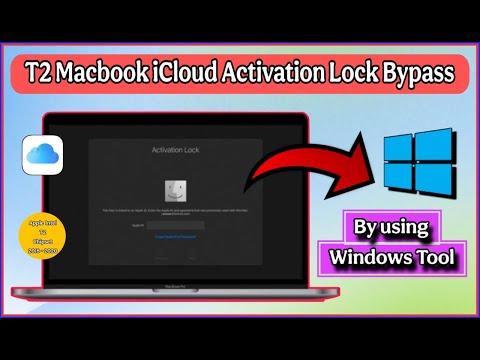

🚀 UPDATE:- Now this tool supports bypass from iBridgeOS 4.2 to iBridgeOS 10.5.
🔥 Message me on WhatsApp or Telegram for manual registration
🚦All Contact Links:- https://linktr.ee/AnnaSolutionZone
✅ Instructions:
1. Download FrpFile T2
– Download MacOS Tool:- https://mega.nz/folder/8UJE1Zxa#CDiyUCUVe9jaPltRJQ77Bw
– Download WindowsOS Tool:- https://mega.nz/folder/ZUIDxZTY#gC6ki4bY4xVcIxJpZsm8yQ
2. Run FRPFILE T2 Activator Tool.
3. Connect the locked Mac to the tool in DFU mode.
4. Click Boot Ramdisk then Activate T2
5. Make bootable USB macOS Installer from FRPFILE dmg file:-
– Download FRPFILE DMG file – https://mega.nz/folder/mCwmVLDL#LKr6X3EmoH_CEOP-CqRgHw
– Download and Install Balena Etcher – https://etcher.balena.io/
– Flash the drive from Balena Etcher and make it bootable by watching the above video tutorial.
6. Reinstall macOS from patched FRPFILE dmg file USB macOS Installer
(⚠️ Do NOT reinstall macOS using Apple’s standard Recovery Mode (Command + R will not work)
7. For Disable Verbose Boot after the bypass process, open **Terminal** and run command:
sudo nvram boot-args=””
8. Then restart your Mac. This command clears the current boot arguments and restores the standard macOS startup screen.
9. Enjoy!
🎯 If you are searching for “how to bypass MacBook by using windows (FRPFILE T2 Tool) then this video is for you. You can easily bypass your locked Mac models by using windows laptop with just simple few steps. You don’t need any MacBook to bypass your locked MacBook. So watch the video till the end. Also don’t forget to like, comment, share and subscribe to this channel if you find this video helpful.
🚀 List of Mac Models that are supported for this bypass:-
🟢 iMac Pro (A2110) 2019
🟢 iMac (A2115) 2019
🟢 iMac (A2116) 2020
🟢 Mac Pro Tower (A1991) 2019
🟢 Mac Pro Rack (A2304) 2019
🟢 Mac Mini (A1993) 2018
🟢 MacBook Air (A1932) 2018
🟢 MacBook Air (A1932) 2019
🟢 MacBook Air (A2179) 2020
🟢 MacBook Pro (A1989, A1990) 2018
🟢 MacBook Pro (A2159, A1707, A2141) 2019
🟢 MacBook Pro (A2251, A2289) 2020
🔥 Major Features:-
✅ Supports BridgeOS 10.5
✅ Latest macOS Tahoe
✅ Latest Sequoia
✅ No Touch Bar issues
✅ Force shutdown
✅ No Relock after battery dead
🎯 If you need any help or registration then please feel free to message me on Telegram or WhatsApp. I’m always happy to help.
🚦 All Contact Links:- https://linktr.ee/AnnaSolutionZone
☎️ Telegram Channel Link :- https://t.me/AnnaSolutionZone
☎️ Telegram Link :- https://t.me/anna_solution_zone
💬 WhatsApp Channel Link :- https://whatsapp.com/channel/0029Vb6I6TnKWEKzv5hH6Q3H
💬 WhatsApp Link :- https://wa.me/message/PQ7WSCDNOEQJE1
🌐 Website :- https://annasolutionzone.com/services/
🎥 Other Videos On My Channel 🎥
🚀 iRemove Tools A12+ Instant iCloud Bypass | All iPhones | All iPads :- https://youtu.be/u4tgBeZaIao
🚀 How To Remove Mobile Device Management (MDM) From All iPhone And iPad By Using HFZ Tools :- https://youtu.be/zhgChKhMiaQ
🚀 Macbook iCloud Activation Lock Bypass | All T2 Mac Models | iRemove Tools :- https://studio.youtube.com/video/20fLtc5YNwY/edit
🚀 Macbook Remote Management (MDM) Bypass | T2 & Apple Silicon Macbook | iRemove Tools :- https://youtu.be/bqRhxLp4J5g?si=c9EZGcGV_VE06hu9
🚀 How to remove iCloud or turn off FMI from all Open Menu Mac Models by using FrpFile tool:- https://youtu.be/5v3oAAQR9P8
🚀 iPhone 5S to iPhone X and checkM8 iPads Bypass With Signal By Using LPro Max Bypass Tool :- https://youtu.be/fQMk9yaTj-I?si=m0EMJCGH4ChsU0VH
#iphone #annasolutionzone #macbookunlock #jailbreak #icloudbypass #icloudunlock #iPad #macbookbypass #checkm8 #palera1n #macbook #icloudactivationlock #frpfile #appleconfigurator2 #macicloudbypasswindows
– How to bypass MacBook by using windows tool?
– How to restore MacBook bypass using windows Apple Configurator 2 tool?
– Macbook apple intel t2 chipset iCloud bypass by using windows frpfile t2 application.
Disclaimer:-
The content on this channel is for informational and educational purposes only. We do not promote or endorse illegal activities, unauthorized bypassing, or tampering with devices. All reviews and discussions are intended to provide insights into tools, software, and processes, but viewers are responsible for using them within the bounds of applicable laws and regulations. Always respect intellectual property rights and consult with professionals if you are unsure. Use the information provided at your own risk. Copyright Disclaimer Under Section 107 of the Copyright Act 1976, allowance is made for “fair use” for purposes such as criticism, comment, news reporting, teaching, scholarship, and research. Fair use is a use permitted by copyright statute that might otherwise be infringing. Non-profit, educational or personal use tips the balance in favor of fair use. Anna Solution Zone is not responsible for any misuse of the provided information.
Thanks For Watching ❤️❤️❤️

🚀 UPDATE:- Now this tool supports bypass from iBridgeOS 4.2 to iBridgeOS 10.5.
🔥 Message me on WhatsApp or Telegram for manual registration
🚦All Contact Links:- https://linktr.ee/AnnaSolutionZone
✅ Instructions:
1. Download FrpFile T2
– Download MacOS Tool:- https://mega.nz/folder/8UJE1Zxa#CDiyUCUVe9jaPltRJQ77Bw
– Download WindowsOS Tool:- https://mega.nz/folder/ZUIDxZTY#gC6ki4bY4xVcIxJpZsm8yQ
2. Run FRPFILE T2 Activator Tool.
3. Connect the locked Mac to the tool in DFU mode.
4. Click Boot Ramdisk then Activate T2
5. Make bootable USB macOS Installer from FRPFILE dmg file:-
– Download FRPFILE DMG file – https://mega.nz/folder/mCwmVLDL#LKr6X3EmoH_CEOP-CqRgHw
– Download and Install Balena Etcher – https://etcher.balena.io/
– Flash the drive from Balena Etcher and make it bootable by watching the above video tutorial.
6. Reinstall macOS from patched FRPFILE dmg file USB macOS Installer
(⚠ Do NOT reinstall macOS using Apple’s standard Recovery Mode (Command + R will not work)
7. For Disable Verbose Boot after the bypass process, open *Terminal* and run command:
sudo nvram boot-args=””
8. Then restart your Mac. This command clears the current boot arguments and restores the standard macOS startup screen.
9. Enjoy!
I have a 2022 MacBook Air (M2) that is locked by its previous owner. Can you help me unlock it, step by step? I look forward to your reply and your address—what do you think?
after bypass, does it support BootCamp windows install?