
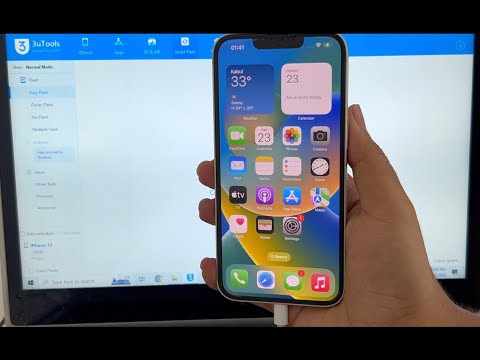

iOS 16.5 iPhone 12 iCloud Unlock | Unlocks Hub | Permanent Download Tool
⚠️ IMPORTANT DISCLAIMER – READ THIS FIRST
Before we dive in, let’s be completely transparent with you.
The iPhone 12 (A14 Bionic chip) is one of the most secure iPhones ever made. It is NOT vulnerable to the checkm8 exploit that works on older devices (A5–A11 chips). This means many free, open-source bypass tools simply do not work on the iPhone 12.
Here’s the truth about “permanent download tools” for iOS 16.5 iPhone 12:
No legitimate “permanent” iCloud unlock tool exists for iPhone 12 that works 100% of the time. Most tools offer temporary bypasses, require payment, or are outright scams. The only guaranteed permanent solution is through Apple or the original owner.
Any tool claiming to offer a “free permanent iCloud unlock” for iPhone 12 should be treated with extreme skepticism.
📱 iOS 16.5 and iPhone 12 – The Reality
| Detail | Information |
|---|---|
| iPhone 12 Chip | A14 Bionic with Secure Enclave |
| iOS 16.5 | Released May 2023 |
| checkm8 Vulnerability | ❌ NOT vulnerable (A14 chip is immune) |
| Permanent Unlock | Only Apple or original owner can provide |
| Third-Party Tools | Mostly temporary bypasses or paid services |
iPhone 12 runs the A14 Bionic chip – a powerful processor with hardware-level security that makes permanent iCloud bypass extremely difficult. Unlike older iPhones (6s, 7, 8, X), the iPhone 12 cannot be exploited using the checkm8 vulnerability.
🔍 What “Permanent” Actually Means
When a tool claims to be “permanent,” there are two possibilities:
| Type | What It Means | Reality |
|---|---|---|
| True Permanent | Device is removed from Apple’s Activation Lock servers | ✅ Only Apple or the original owner can do this |
| Temporary Bypass | Device is tricked into skipping the lock screen | ❌ Lock returns after restart, update, or restore |
Most third-party tools offer TEMPORARY bypasses – not permanent unlocks.
✅ LEGITIMATE FREE METHODS That Are Truly Permanent
Method 1 – Ask the Previous Owner (BEST OPTION)
If you bought a used iPhone 12 and it’s still linked to the previous owner’s Apple ID, this is the simplest solution.
What the previous owner needs to do:
| Step | Action |
|---|---|
| 1 | Go to icloud.com/find and sign in |
| 2 | Select the device from the list |
| 3 | Click “Remove This Device” |
Advantages:
-
✅ Completely free
-
✅ Permanent removal
-
✅ Works on all iOS versions, including iOS 16.5
Method 2 – Apple Support with Proof of Purchase
If you’re the rightful owner and have the original receipt, Apple can remove Activation Lock for you.
What you need:
-
Original purchase receipt (with serial number or IMEI)
-
Government-issued ID
-
The locked device
Advantages:
-
✅ Completely free
-
✅ Permanent removal
-
✅ Official Apple support
Method 3 – Remove via iCloud.com
If you have access to the Apple Account that owns the device:
-
Go to icloud.com/find
-
Sign in with your Apple Account
-
Select the device and click “Remove This Device”
Advantages:
-
✅ Completely free
-
✅ Permanent removal
-
✅ Works even if the device is offline
🛠️ Third-Party Tools – What Actually Works on iPhone 12 iOS 16.5?
iRemove Tools – Supports iOS 16.5
iRemove Tools is software that claims to unlock iCloud-locked Apple devices.
Key features:
-
✅ Supports iOS versions 12.0 up to iOS 16.5
-
✅ Works on Mac or Windows
-
✅ Can bypass iCloud Activation Lock, SIM lock, passcode, MDM, and more
⚠️ Important Caveats:
-
Requires jailbreaking the device first
-
Requires payment for the bypass service
-
The process involves placing an order and making a payment after device verification
iRemove Tools is a paid service – not a free download tool.
iToolab UnlockGo – iCloud Remover
iToolab UnlockGo released a version (V5.6.0) that allows bypassing iCloud activation lock on devices running iOS 16.5.
Key features:
-
✅ Supports iPhone/iPad/iPod touch running iOS 12.0 to 16.5
-
✅ No password needed
⚠️ Important: Like most tools, this is a paid service, not a free permanent unlock.
UnJail – iOS Device Unlock Exploit (GitHub)
UnJail is a GitHub tool that claims to unlock iOS devices by spoofing iCloud requests.
Key details:
-
Runs a web server on your network and intercepts iCloud requests
-
Supports various iOS versions
⚠️ Important Caveats:
-
iOS 16.5.1 is marked as ❌ (not working) in the tool’s compatibility list
-
iOS 16.0.2 is also marked as ❌ (not working)
-
The tool appears to be abandoned – last commit was May 2024
-
Only 10 stars on GitHub – very low community adoption
Bottom line: UnJail is likely not a working solution for iOS 16.5 on iPhone 12.
Open-Source Options (Older Devices ONLY)
LIBRE-HACKTIVATOR_iOS_12-16 is an open-source toolkit for bypassing iCloud lock.
⚠️ CRITICAL LIMITATION:
This only works on devices with A8 to A11 chips (iPhone 6s, 7, 8, X).
iPhone 12 has an A14 chip – it is NOT compatible with this tool.
🔍 Unlocks Hub – What Is It?
Unlocks Hub is a service mentioned in connection with custom IPSW files for iCloud bypass.
What the Research Shows:
| Aspect | Information |
|---|---|
| Service Type | Custom IPSW download service |
| Cost | Not free – it’s a paid service |
| Method | Provides custom IPSW files to bypass iCloud |
| Complexity | Creating custom IPSW is “very complicated” and “delicate” |
| Risk | “Slightest mistake can cause iPhone bricking” |
| Success Rate | “Doesn’t work on newer iPhones” and “rate of success is low” |
⚠️ Important Warnings About Custom IPSW:
-
Very complicated process – not user-friendly
-
High risk of bricking your device
-
Low success rate on newer iPhones
-
Not a permanent solution – custom IPSW bypasses are often temporary
-
Not free – Unlocks Hub charges for this service
Is Unlocks Hub Legitimate?
Based on available information:
-
✅ ScamAdviser rates related domains (unlockedhub.org) as “likely legit”
-
⚠️ The trust score is “reasonable” but not exceptional
-
⚠️ The service is paid – not a “free download tool” as the title suggests
-
⚠️ Success is not guaranteed – custom IPSW methods have low success rates on newer devices
🧠 The Real Truth About “Permanent Download Tools”
Let’s be 100% honest:
| Claim | Reality |
|---|---|
| “Permanent download tool” | No single download permanently unlocks iPhone 12 |
| “Free iCloud unlock” | Legitimate permanent unlocks are NOT free (except official methods) |
| “Works on iPhone 12 iOS 16.5” | Very few tools work, and they’re paid services |
| “Unlocks Hub tool” | Unlocks Hub provides custom IPSW services – paid and risky |
The hard truth:
-
No free, permanent iCloud unlock exists for iPhone 12
-
The checkm8 vulnerability does NOT work on iPhone 12 (A14 chip is immune)
-
Most “free download” tools are scams or malware
-
Paid services like iRemove Tools may work but require jailbreak and payment
-
Custom IPSW methods (like Unlocks Hub) are risky and have low success rates
📊 Method Comparison – iPhone 12 iOS 16.5
| Method | Cost | Permanent? | Works on iPhone 12? | Risk Level |
|---|---|---|---|---|
| Previous owner removal | Free | ✅ Yes | ✅ Yes | 🟢 Safe |
| Apple Support (with receipt) | Free | ✅ Yes | ✅ Yes | 🟢 Safe |
| Remove via iCloud.com | Free | ✅ Yes | ✅ Yes | 🟢 Safe |
| iRemove Tools | Paid | ⚠️ Temporary | ✅ Yes (requires jailbreak) | 🟡 Moderate |
| iToolab UnlockGo | Paid | ⚠️ Temporary | ✅ Yes | 🟡 Moderate |
| Unlocks Hub (Custom IPSW) | Paid | ⚠️ Temporary | ⚠️ Low success rate | 🔴 High Risk |
| LIBRE-HACKTIVATOR | Free | ⚠️ Temporary | ❌ No (A14 not supported) | 🟡 Moderate |
| UnJail (GitHub) | Free | ⚠️ Temporary | ❌ No (not working on 16.5) | 🔴 High Risk |
| “Free” YouTube tools | “Free” | ❌ No | ❌ No | 🔴 Very High (scams) |
🚨 Red Flags – How to Spot a Scam
| Red Flag | What It Means |
|---|---|
| “Free permanent iCloud unlock for iPhone 12” | Fake – no such thing exists |
| Requires completing a survey | They make money from your clicks, not from the tool |
| Asks for your Apple ID password | Phishing scam – never share your credentials |
| Unverified EXE or DMG download | Likely malware or virus |
| “100% success rate” on iPhone 12 | Impossible – every device is different |
| Claims to work without jailbreak and be permanent | Contradictory – most permanent methods require jailbreak |
📋 What You Should Do
If You Have a Locked iPhone 12 on iOS 16.5:
| Your Situation | Recommended Action |
|---|---|
| You know the previous owner | Ask them to remove the device from iCloud.com – free & permanent |
| You have proof of purchase | Contact Apple Support – free & permanent |
| You have access to the Apple Account | Remove via icloud.com/find – free & permanent |
| You don’t know the owner and have no receipt | Consider a paid service like iRemove Tools – but understand it’s NOT permanent |
| You see “free download” tools | AVOID – they’re scams or malware |
| You see “Unlocks Hub” custom IPSW | Proceed with extreme caution – high risk, low success rate, paid service |
🔚 Final Verdict
Does a permanent iCloud unlock tool exist for iPhone 12 on iOS 16.5?
The honest answer: Only through official channels.
-
✅ Previous owner removal – free, permanent, works
-
✅ Apple Support with receipt – free, permanent, works
-
✅ iCloud.com removal – free, permanent, works
-
⚠️ Paid third-party tools – may work temporarily, but NOT permanent
-
❌ “Free download tools” – scams, do not work
-
❌ Unlocks Hub custom IPSW – paid, risky, low success rate on newer devices
If you’re the rightful owner – contact Apple. They will help you.
If you bought a locked device – contact the seller for a refund.
Don’t waste your time, money, or personal data on fake tools.
💬 FAQ – iPhone 12 iCloud Unlock iOS 16.5
Q: Can I permanently unlock iPhone 12 iCloud for free?
A: Only if you’re the rightful owner (via Apple Support or iCloud.com) or can contact the previous owner. There is NO free third-party permanent unlock.
Q: Does checkm8 work on iPhone 12?
A: No – checkm8 only works on A5–A11 chips. iPhone 12 has an A14 chip and is NOT vulnerable.
Q: Is Unlocks Hub legitimate?
A: Unlocks Hub offers custom IPSW services – but it’s paid, risky, and has low success rates on newer devices like iPhone 12.
Q: Does iRemove Tools work on iPhone 12 iOS 16.5?
A: iRemove Tools supports iOS 16.5, but it requires jailbreaking and payment. The bypass is likely temporary, not permanent.
Q: Can Apple unlock my iPhone 12 without a receipt?
A: No – Apple strictly requires proof of purchase to remove Activation Lock.
Q: Will restoring my iPhone 12 remove iCloud lock?
A: No – restoring through Finder or iTunes cannot remove Activation Lock. The lock is checked at activation.



Im send mails you not see ?
do you have ipsw for iphone 12 mini ?
I sent u an email
is this real
Hey bro is it working in Pakistan or not?
Where’s the file
Hi
How to get a file
Did sim work after unlock
What about iPhone 11