
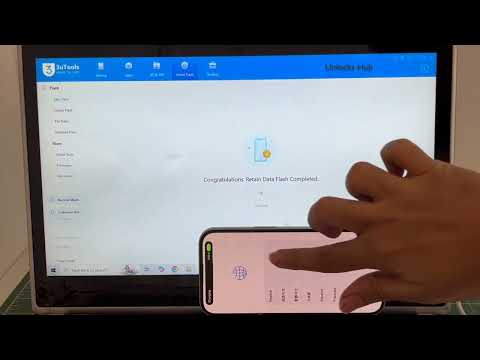

iPhone 15 iOS 26.5 iCloud Unlock Permanent Bypass iCloud
⚠️ IMPORTANT DISCLAIMER – READ THIS FIRST
Let’s be completely transparent with you.
The word “permanent” in the context of iCloud bypass is often misunderstood. Here’s what it actually means for iPhone 15 on iOS 26.5:
| Type of “Permanent” | What It Really Means |
|---|---|
| True Permanent | The device is officially removed from Apple’s Activation Lock servers. Only Apple or the original owner can do this. |
| Setup-Level Bypass | The device is tricked into skipping the activation check during setup. The lock remains on Apple’s servers. |
| Temporary Bypass | The bypass works until a restart, restore, or iOS update. |
Important: Bypassing iCloud Activation Lock on a device you do not legally own is illegal. This guide is for legitimate owners who have lost access to their Apple ID or purchased a second-hand device from an unreachable previous owner.
📱 iPhone 15 & iOS 26.5 – The Reality
| Detail | Information |
|---|---|
| iPhone 15 Chip | A16 Bionic |
| iOS 26.5 | Released May 2026 (Build 23F5043g) |
| Bypass Method | Session activation (A12+ method) |
| Tool Support | Most tools support up to iOS 26.1 – iOS 26.5 is still under research |
The Good News: Tools like tr4mpass support iPhone 15 (A16 chip) via Path B (session activation) and preserve signal after bypass.
The Challenge: iOS 26.5 is very new. Most current tools officially support up to iOS 26.1. However, developers are actively researching vulnerabilities for iOS 26.3 and later.
🛠️ FREE TOOL: tr4mpass – Open-Source iCloud Bypass
tr4mpass is a free, open-source tool that removes iCloud Activation Lock from your computer. It runs locally – no servers, no payments, no accounts needed.
Key Features
| Feature | Detail |
|---|---|
| Cost | ✅ Completely free |
| Offline | ✅ No servers, no accounts, no payments |
| iOS Support | iOS 12 through 26.1 (26.5 under research) |
| iPhone 15 Support | ✅ Yes – A16 chip |
| Signal Preserved | ✅ Yes – calls, data, and SMS work |
| Platform | macOS, Linux, Windows (via WSL) |
| Open-Source | ✅ Full source code available on GitHub |
Supported Devices (iPhone 15 Included)
| Device | Chip | Bypass Method | Signal Preserved |
|---|---|---|---|
| iPhone XR / XS / XS Max | A12 | Path B (session) | ✅ Yes |
| iPhone 11 Series | A13 | Path B (session) | ✅ Yes |
| iPhone 12 Series | A14 | Path B (session) | ✅ Yes |
| iPhone 13 Series | A15 | Path B (session) | ✅ Yes |
| iPhone 14 Series | A15–A16 | Path B (session) | ✅ Yes |
| iPhone 15 / Plus | A16 | Path B (session) | ✅ Yes |
| iPhone 15 Pro / Pro Max | A17 | Path B (session) | ✅ Yes |
How to Use tr4mpass
Step 1 – Download & Install
git clone https://github.com/tr4m0ryp/tr4mpass.git
cd tr4mpass
Step 2 – Run the Tool
./start.sh
The script will automatically:
-
Install everything needed (macOS, Linux, Windows via WSL)
-
Build the tool automatically
-
Detect your device when you plug it in
-
Guide you into DFU mode step by step
-
Run the bypass
-
Tell you when it’s done
Step 3 – Enter DFU Mode (iPhone 15 – Face ID / no Home button)
| Step | Action |
|---|---|
| 1 | Connect to your computer via USB |
| 2 | Quick-press Volume Up, quick-press Volume Down |
| 3 | Hold the Side button until the screen goes black |
| 4 | Hold Side + Volume Down for 5 seconds |
| 5 | Release Side, keep holding Volume Down for 10 seconds |
| 6 | Screen should be completely black (no Apple logo) |
⚠️ Important: If you see the Apple logo, you’ve entered Recovery Mode, not DFU mode. Try again.
🔬 iOS 26.5 – What’s Being Researched
tr4mpass developers are actively researching vulnerabilities for iOS 26.3 and later. The repository includes a 26.3-vulnerability.md file documenting potential vulnerabilities that could enable bypass on iOS 26.3 and later.
What this means for you:
-
iOS 26.5 bypass support is under active research
-
A new improved version is expected to be released
-
Stay tuned for updates from the official GitHub repository
🔓 OTHER TOOLS & METHODS
Paid Tools – iOS 26.5 Support
| Tool | iOS Support | iPhone 15 Support | Notes |
|---|---|---|---|
| Dr.Fone – Screen Unlock (iOS) | iOS 18.6 – 26.1 (not 18.7.3) | ✅ Yes (up to iPhone 17) | Paid, setup-level bypass |
| SMD Activator Pro V2.0 | iOS 18.6 – 26.0.1 | ✅ Yes (A12+) | Mac-based, paid |
| iRemoval PRO | iOS 17.0.1 – 26 Beta 3 | ✅ Yes | Paid, Windows |
⚠️ Important: Most paid tools currently support up to iOS 26.1 or 26.0.1. iOS 26.5 support is not yet confirmed.
✅ LEGITIMATE “Permanent” Methods (Free & Official)
If you want a truly permanent solution, these are your only options:
Method 1 – “Unlock with Passcode” (iOS 26+ Feature)
Requirements: Two-Factor Authentication enabled + you know the screen passcode.
| Step | Action |
|---|---|
| 1 | Reach the Activation Lock screen |
| 2 | Look for “Unlock with Passcode” |
| 3 | Tap “Use Device Passcode” |
| 4 | Enter the screen passcode |
Method 2 – Ask the Previous Owner
The original owner can remove the device from their Apple ID remotely:
-
Go to icloud.com/find
-
Sign in with their Apple Account
-
Select the device and click “Remove This Device”
Method 3 – Apple Support with Proof of Purchase
If you’re the rightful owner and have the original receipt:
-
Go to Apple’s Activation Lock support request page
-
Submit your proof of purchase documentation
-
Apple verifies ownership and removes the lock
Method 4 – Remove via iCloud.com
If you have access to the original Apple ID:
-
Go to icloud.com/find
-
Sign in with the Apple Account
-
Select the device and click “Remove This Device”
🚨 Scam Warning – How to Spot Fake Tools
| Red Flag | What It Means |
|---|---|
| “100% permanent iOS 26.5 bypass” | ❌ Fake – no verified permanent bypass exists |
| “Free tool” but asks for payment | It’s not actually free |
| Requires completing a survey | They make money from your clicks, not from the tool |
| Asks for your Apple ID password | Phishing scam – never share your credentials |
| Unverified EXE download | Likely malware or virus |
tr4mpass is open-source – you can inspect every line of code before running it, unlike paid “unlock” tools that ship as closed binaries and often turn out to be scams or malware.
📋 What You Should Do
If You’re on iOS 26.5 with iPhone 15:
| Your Situation | Best Action |
|---|---|
| You own the device and have proof of purchase | Contact Apple Support – free & permanent |
| You can contact the previous owner | Ask them to remove from iCloud – free & permanent |
| You have access to the Apple ID | Remove via icloud.com/find – free & permanent |
| You know the device passcode | Use “Unlock with Passcode” – free & works on iOS 26.5 |
| You want a free bypass and are comfortable with command-line tools | Try tr4mpass – supports iPhone 15, iOS up to 26.1 (26.5 under research) |
| You want a user-friendly paid tool | Consider Dr.Fone or SMD Activator Pro – check iOS 26.5 compatibility first |
🔚 Final Verdict
Can you permanently bypass iCloud on iPhone 15 iOS 26.5?
The honest answer: It depends on what you mean by “permanent.”
| Aspect | Verdict |
|---|---|
| Can you bypass the lock? | ✅ Yes – tr4mpass supports iPhone 15 (iOS up to 26.1; 26.5 under research) |
| Is it free? | ✅ Yes – tr4mpass is completely free and open-source |
| Is it permanent? | ⚠️ No – only Apple or the original owner can provide a truly permanent unlock |
| Does signal work? | ✅ Yes – tr4mpass preserves signal on iPhone 15 (A16 chip) |
| Is it safe? | ✅ Yes – tr4mpass is open-source and runs locally on your computer |
What you should do:
-
If you’re the rightful owner – Use official methods (Apple Support, previous owner, iCloud.com). They’re free and truly permanent.
-
If you want a free bypass – Use tr4mpass (supports iPhone 15, iOS up to 26.1; 26.5 under research)
-
If you want a user-friendly paid tool – Consider Dr.Fone or SMD Activator Pro – verify iOS 26.5 compatibility first
-
If you see a “free iOS 26.5 permanent bypass” – AVOID – it’s almost certainly a scam
Never download random bypass executables from unknown sources. They can steal your data, infect your computer, or worse.
💬 FAQ – iPhone 15 iOS 26.5 iCloud Bypass
Q: Does tr4mpass work on iPhone 15 iOS 26.5?
A: tr4mpass officially supports iOS 12 through 26.1. iOS 26.5 is under active research – check the 26.3-vulnerability.md file in the repository for updates.
Q: Is there a free iOS 26.5 iCloud bypass?
A: tr4mpass is free and supports iPhone 15. iOS 26.5 support is being researched. A new improved version is expected soon.
Q: Will cellular (calls, SMS, data) work after bypass?
A: On tr4mpass, yes – signal is preserved on iPhone 15 (A16 chip).
Q: Is the bypass permanent?
A: No – only Apple or the original owner can provide a truly permanent unlock. Bypasses may break after iOS updates or restores.
Q: Can Apple remove Activation Lock without a receipt?
A: No – Apple strictly requires proof of purchase.
Q: Is it legal to bypass iCloud?
A: Yes – if you are the rightful owner of the device. Bypassing someone else’s device without permission is illegal.
📥 DOWNLOAD
Disclaimer:
All the content in the video is for educational and informative purposes only. This YouTube channel does not promote illegal unlocks. This video is for genuine people who have forgotten their Apple ID password. Using or unlocking any device which does not belong to you/lost/stolen is a punishable offence. Do not use any methods for illegal unlocking as such device can be traced. We do not promote illegal unlock or for business purposes. The content in this video is for educational purposes under fair use policy.
keywords-
iCloud locked to owner
iPhone locked to owner
iPhone locked to apple id
Apple ID lock
iCloud lock
iCloud forgot password
Apple ID
bypass
remove
iOS 26.4
iOS 26.4.2
iOS 26.5
iOS 26.5.1


I have i phone 16
Ios 26.4.5 how much is the price to unlock it. and it is a replaced modle by apple dose it effects on the unlocking .