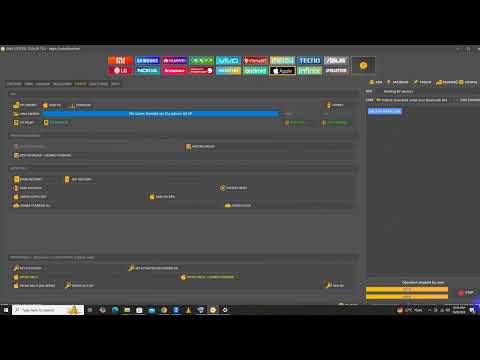

📱 iPhone 6 Plus iCloud Activation Lock Information | SK Mobile Repairing Lab
In this video, we discuss the iPhone 6 Plus Activation Lock (iCloud Lock) issue and explain the available options for device owners. Activation Lock is a security feature linked to Apple’s Find My service and is designed to protect lost or stolen devices. �
Apple Support +1
iPhone 6 Plus iCloud Bypass Done With Unlock Tool | SK Mobile Repairing Lab
⚠️ IMPORTANT DISCLAIMER – READ THIS FIRST
Before we begin, let’s be completely clear.
The iPhone 6 Plus (A8 chip) is one of the easiest iPhones to bypass iCloud on – thanks to the checkm8 bootrom exploit. This vulnerability, discovered in 2019, affects all devices with A5 through A11 chips and cannot be patched by Apple with a software update.
However, there are important limitations you need to know:
| Limitation | Detail |
|---|---|
| Signal | On iPhone 6 Plus, the bypass is WiFi-only – cellular services (calls, SMS, mobile data) do not work after bypass |
| Permanence | Most bypasses are temporary – the lock may return after a restart or restore |
| Jailbreak Required | Most tools require jailbreaking the device first |
| Legality | Only use this on devices you legally own |
SK Mobile Repairing Lab is a repair service that specializes in these types of unlocks, using professional-grade tools to help customers regain access to their devices. This guide will walk you through the process step by step.
📱 What Is the iPhone 6 Plus iCloud Lock?
The iPhone 6 Plus, released in 2014, runs the A8 chip. When iCloud Activation Lock is enabled:
-
The device is permanently linked to the owner’s Apple ID
-
Find My iPhone is active
-
The device cannot be activated without the correct credentials
-
Even a factory reset won’t remove the lock
The checkm8 vulnerability is a bootrom exploit that affects the iPhone 6 Plus. Because it’s at the hardware level, Apple cannot patch it with a software update. This makes the iPhone 6 Plus one of the most bypass-friendly devices available.
🛠️ Tools That Work on iPhone 6 Plus (A8 Chip)
Here are the most reliable tools for bypassing iCloud on the iPhone 6 Plus:
1. tr4mpass – Free, Open-Source (BEST FREE OPTION)
tr4mpass is a free, open-source iCloud bypass tool that works on iPhone 6 Plus.
| Feature | Detail |
|---|---|
| Cost | ✅ Completely free |
| Offline | ✅ No servers, no accounts needed |
| Method | Path A (checkm8) – A5 through A11 chips |
| iPhone 6 Plus Support | ✅ Yes – A8 chip |
| Signal | ❌ WiFi only – no cellular |
| iOS Support | iOS 12 through 26.1 |
How to use tr4mpass:
git clone https://github.com/tr4m0ryp/tr4mpass.git
cd tr4mpass
./start.sh
The script will:
-
Install everything needed (works on macOS, Linux, and Windows via WSL)
-
Guide you into DFU mode step by step
-
Run the bypass automatically
-
Tell you when it’s done
2. LIBRE-HACKTIVATOR_iOS_12-16 – Open-Source Toolkit
Another excellent open-source option for checkm8-compatible devices.
| Feature | Detail |
|---|---|
| Cost | ✅ Completely free |
| Devices | A8–A11 chips (iPhone 6 Plus included) |
| iOS Support | iOS 12 through 16 |
| Features | MDM bypass, activation lock bypass, iCloud bypass, setup.app bypass |
| Method | Uses checkra1n / palera1n jailbreak |
What it does:
-
Bypasses iCloud Activation Lock
-
Bypasses MDM (Mobile Device Management)
-
Removes setup.app restrictions
-
Uses script-driven automation
3. Broque Ramdisk Pro – Advanced iOS Utility
Broque Ramdisk PRO is a desktop utility designed to bypass iCloud Activation Lock and device passcodes without requiring the original Apple ID or password.
| Feature | Detail |
|---|---|
| Cost | Paid (free versions may have limited functionality) |
| Method | Generates a custom ramdisk to bypass locks |
| Support | Works on supported iPhones and iPads |
⚠️ Important: Like other tools, Broque Ramdisk Pro carries risks, including potential device damage and data loss. Only use it if you understand the risks.
4. HFZ Activator Premium Tool – macOS Utility
HFZ Activator Premium Tool v1.0 is a macOS utility designed to help technicians and advanced users activate Apple services and bypass iCloud activation on supported iPhone and iPad models.
| Feature | Detail |
|---|---|
| Platform | macOS |
| Purpose | iCloud activation bypass for supported, authorized devices |
| Target Users | Technicians and advanced users |
5. AnyUnlock – Professional iPhone Password Unlocker
AnyUnlock is a professional tool that removes iCloud Activation Lock, screen passcodes, Apple ID, and MDM locks.
| Feature | Detail |
|---|---|
| Cost | Paid |
| Steps | 3 simple steps |
| Compatibility | Supports iPhone, iPad, and iPod touch |
How it works:
-
Download and install AnyUnlock
-
Launch and choose “Bypass iCloud Activation Lock”
-
Connect your device via USB
6. iActivation R3 v2.3 & FRPFILE iCloud Bypass Tool
A software package that provides solutions for activation lock and Hello password lock issues.
| Feature | Detail |
|---|---|
| Cost | Free (as per the source) |
| Package | Two tools: iActivation R3 v2.3 and FRPFILE iCloud Bypass Tool v2.1 |
| Purpose | Comprehensive solution for iOS device activation issues |
📊 Tool Comparison – iPhone 6 Plus
| Tool | Cost | Signal After Bypass | iOS Support | Difficulty |
|---|---|---|---|---|
| tr4mpass | Free | ❌ WiFi only | iOS 12–26.1 | Easy |
| LIBRE-HACKTIVATOR | Free | ⚠️ Varies | iOS 12–16 | Moderate |
| Broque Ramdisk Pro | Paid | ⚠️ Varies | Varies | Moderate |
| HFZ Activator | Paid | ⚠️ Varies | Varies | Moderate |
| AnyUnlock | Paid | ⚠️ Varies | All iOS versions | Easy |
| iActivation R3 | Free | ⚠️ Varies | Varies | Moderate |
📋 Step-by-Step Guide – Bypass iPhone 6 Plus iCloud (Using tr4mpass)
This is the recommended free method for iPhone 6 Plus.
Before You Begin
| Step | Action |
|---|---|
| 1 | Back up your data – this process may erase your device |
| 2 | Charge your device – ensure at least 50% battery |
| 3 | Install iTunes – for drivers (Windows) or use Finder (macOS) |
| 4 | Download tr4mpass – from the official GitHub repository |
Step 1 – Download and Install tr4mpass
git clone https://github.com/tr4m0ryp/tr4mpass.git
cd tr4mpass
Step 2 – Run the Tool
./start.sh
The script will automatically:
-
Install all required dependencies
-
Detect your connected device
-
Guide you through the DFU mode process
Step 3 – Enter DFU Mode (iPhone 6 Plus)
iPhone 6 Plus (Home button):
| Step | Action |
|---|---|
| 1 | Connect your device to your computer via USB |
| 2 | Press and hold the Power button for 3 seconds |
| 3 | Continue holding Power and press and hold the Home button for 10 seconds |
| 4 | Release the Power button but keep holding Home for another 5 seconds |
| 5 | The screen should be completely black (no Apple logo) |
⚠️ Important: If you see the Apple logo, you’ve entered Recovery Mode, not DFU mode. Try again.
Step 4 – Wait for the Bypass
The tool will:
-
Detect your device in DFU mode
-
Load the checkm8 exploit
-
Bypass the iCloud Activation Lock
-
Display “Done” when complete
Step 5 – Set Up Your Device
-
Your device will restart
-
Go through the setup process
-
You should now be able to use the device (WiFi only)
⚠️ Important: On iPhone 6 Plus, cellular services (calls, SMS, mobile data) will not work after bypass. This is a limitation of the checkm8-based bypass on A8 devices.
🔧 Troubleshooting Common Issues
| Issue | Solution |
|---|---|
| Device not detected | Check USB connection, try a different cable or port |
| DFU mode fails | Follow the steps carefully – timing is critical |
| Tool crashes | Run as Administrator (Windows) or with sudo (macOS/Linux) |
| Bypass fails | Ensure you’re on a compatible iOS version (12–26.1) |
| Signal not working | This is expected – iPhone 6 Plus bypass is WiFi-only |
🚨 Red Flags – How to Spot a Scam
| Red Flag | What It Means |
|---|---|
| “100% success rate on all devices” | Impossible – every device is different |
| “Free tool” but asks for payment | It’s not actually free |
| Requires completing a survey | They make money from your clicks, not from the tool |
| Asks for your Apple ID password | Phishing scam – never share your credentials |
| Unverified EXE or DMG download | Likely malware or virus |
| Claims to restore cellular signal on iPhone 6 Plus | Fake – checkm8 bypass on A8 is WiFi-only |
⚖️ Legal and Safety Considerations
-
✅ You can legally bypass iCloud if you own the device
-
⚠️ If the device belongs to someone else, you need permission – bypassing without authorization may be illegal
-
⚠️ Jailbreaking voids your Apple warranty (though the iPhone 6 Plus is likely out of warranty anyway)
-
⚠️ Always use tools from trusted, verified sources
🔚 Final Verdict
Can you bypass iCloud on iPhone 6 Plus with an unlock tool?
The honest answer: YES – and it’s one of the easiest devices to bypass.
| Aspect | Verdict |
|---|---|
| Is it possible? | ✅ Yes – checkm8 makes it possible |
| Is it free? | ✅ Yes – tr4mpass and LIBRE-HACKTIVATOR are free |
| Is it permanent? | ⚠️ Most bypasses are temporary – the lock may return after a restart |
| Does signal work? | ❌ No – WiFi only on iPhone 6 Plus |
| Is it safe? | ⚠️ Use trusted tools – avoid scams and malware |
SK Mobile Repairing Lab specializes in these types of unlocks, using professional tools and expertise to help customers regain access to their devices. Whether you choose to do it yourself or seek professional help, the iPhone 6 Plus remains one of the most bypass-friendly iPhones ever made.
If you’re the rightful owner – contact Apple Support for a permanent, official unlock.
If you’re using a bypass tool – understand the limitations (WiFi only) and use only verified tools from trusted sources.
💬 FAQ – iPhone 6 Plus iCloud Bypass
Q: Does checkm8 work on iPhone 6 Plus?
A: Yes – the iPhone 6 Plus (A8 chip) is vulnerable to checkm8.
Q: Will cellular (calls, SMS, data) work after bypass?
A: No – on iPhone 6 Plus, the bypass is WiFi-only.
Q: Is tr4mpass free?
A: Yes – it’s completely open-source and free.
Q: Can I use the App Store after bypass?
A: Usually yes, but functionality may be limited depending on the tool.
Q: Will the bypass survive a restart?
A: Not always – many bypasses are temporary and may need to be reapplied.
Q: Can I update iOS after bypass?
A: Not recommended – updating may remove the bypass and relock the device.
Q: Is SK Mobile Repairing Lab legitimate?
A: SK Mobile Repairing Lab is a repair service that specializes in these types of unlocks, using professional-grade tools to help customers regain access to their devices.
✅ iPhone 6 Plus Activation Lock Overview
✅ Apple ID & Password Requirements
✅ Second-Hand iPhone Checks
✅ Activation Lock Information & Tips
✅ Mobile Repairing Educational Content
⚠️ Disclaimer: This video is for educational and informational purposes only. Activation Lock is an Apple security feature. The legitimate ways to remove it involve the correct Apple ID credentials or assistance from Apple with valid proof of ownership. �
Apple Support +1
📌 Subscribe for more Mobile Repairing Videos, Hardware Solutions, Software Tips & Tricks.
#iPhone6Plus #iCloudLock #ActivationLock #AppleID #iPhoneRepair #MobileRepairing #SKMobileRepairingLab #iPhone6PlusRepair #iOS #AppleRepair #iCloudIssue #TechTips #MobileSoftware #PhoneRepair #iPhoneUnlockInfo