
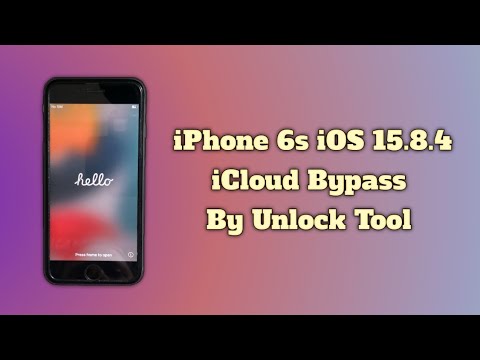

iPhone 6s iCloud Bypass Unlock Tool Without Change Serial Number By Unlock Tool iOS 15.8.4
⚠️ IMPORTANT DISCLAIMER – READ THIS FIRST
Before we begin, let’s be completely clear.
The iPhone 6s (A9 chip) is vulnerable to the checkm8 bootrom exploit – an unpatchable hardware-level vulnerability that affects all devices with A5 through A11 chips. This means the iPhone 6s is one of the easiest iPhones to bypass iCloud on.
Here’s the good news:
Yes – you CAN bypass iCloud on iPhone 6s running iOS 15.8.4 WITHOUT changing the serial number. Multiple free and paid tools support this exact combination.
However, there are important limitations you need to know:
| Limitation | Detail |
|---|---|
| Signal | On many free bypass tools, cellular services (calls, SMS, mobile data) do not work after bypass – WiFi only |
| Permanence | Some bypasses are tethered – the lock may return after a restart |
| Jailbreak Required | Most tools require jailbreaking the device first via checkra1n or palera1n |
| Legality | Only use this on devices you legally own |
EFT Pro Dongle specifically confirms support for iPhone 6s / 6s Plus up to iOS 15.8.4.
📱 Why iPhone 6s on iOS 15.8.4 Is Bypass-Friendly
| Factor | Why It Matters |
|---|---|
| A9 Chip | Vulnerable to checkm8 – Apple cannot patch this with a software update |
| iOS 15.8.4 | Fully supported by multiple bypass tools |
| No Serial Change Needed | Modern tools bypass without modifying hardware identifiers |
| Mature Tool Ecosystem | Years of development have created reliable solutions |
The iPhone 6s represents the perfect storm for iCloud bypass: an older, well-understood chip with an unpatchable exploit, running an iOS version that’s fully supported by the tool ecosystem.
🛠️ Tools That Work on iPhone 6s iOS 15.8.4 (No Serial Change)
Here are the most reliable tools for bypassing iCloud on iPhone 6s iOS 15.8.4 without changing the serial number:
Tool 1: LIBRE-HACKTIVATOR_iOS_12-16 – Free, Open-Source (BEST FREE OPTION)
LIBRE-HACKTIVATOR_iOS_12-16 is an open-source toolkit that bypasses iCloud Activation Lock on checkm8-compatible devices.
| Feature | Detail |
|---|---|
| Cost | ✅ Completely free |
| Platform | Windows 10/11 (64-bit) |
| iPhone 6s Support | ✅ Yes – A9 chip |
| iOS Support | iOS 12.0 through 16.x |
| iOS 15.8.4 Support | ✅ Yes |
| Serial Change Required? | ❌ NO – bypasses without changing serial |
| Method | Uses checkm8 exploit with checkra1n/palera1n |
Key Features:
-
Bypass MDM restrictions
-
Remove Apple’s activation lock and iCloud lock
-
Skip the initial setup app (setup.app) to get to the home screen
-
Automates device setup and activation patches without manual input
How to Use:
| Step | Action |
|---|---|
| 1 | Download from the official GitHub page (Releases section) |
| 2 | Install iTunes or Apple Mobile Device Support for drivers |
| 3 | Temporarily disable antivirus if it blocks the tool |
| 4 | Connect your iPhone 6s via USB |
| 5 | Run the tool with administrator rights |
| 6 | Follow the on-screen instructions – the tool will guide you into DFU mode |
⚠️ Important: This tool runs on Windows 10 or 11 (64-bit) . Ensure your device has at least 50% battery.
Tool 2: Lockra1n – Free, Untethered (macOS)
Lockra1n is a free macOS tool that offers an untethered iCloud bypass – meaning the bypass survives reboots.
| Feature | Detail |
|---|---|
| Cost | ✅ Completely free |
| Platform | macOS |
| iPhone 6s Support | ✅ Yes – A9 through A11 chips |
| iOS Support | iOS 15.x through 18.x |
| iOS 15.8.4 Support | ✅ Yes |
| Serial Change Required? | ❌ NO |
| Type | Untethered – persists after reboot |
Key Features:
-
Operates locally on your Mac – no servers, no sending devices away
-
Leverages the checkm8 bootrom exploit
-
Free device registration using your device’s serial number
-
Updated UI in v2.1 for easier use
How to Use:
| Step | Action |
|---|---|
| 1 | Download Lockra1n from the official GitHub releases |
| 2 | Open the app on your Mac |
| 3 | Select “Bypass iCloud Lock (iOS 15 – 18, Untethered)” |
| 4 | Click “Prepare Lockra1n” to install necessary scripts |
| 5 | Connect your iPhone 6s and follow the on-screen instructions |
⚠️ Important: Lockra1n is for legitimate second-hand device owners only. The developer states: “Lockra1n IS NOT for unlocking stolen devices”.
Tool 3: EFT Pro Dongle – Paid Professional Tool
EFT Pro Dongle is a professional-grade unlocking tool that explicitly supports iPhone 6s on iOS 15.8.4.
| Feature | Detail |
|---|---|
| Cost | Paid – professional dongle |
| Platform | Windows |
| iPhone 6s Support | ✅ Yes |
| iOS Support | iOS 12.X through 18.4 |
| iOS 15.8.4 Support | ✅ Confirmed – up to iOS 15.8.4 |
| Serial Change Required? | ❌ NO |
Key Features:
-
iCloud Bypass (Jailbreak) fully supported
-
Multiple factory reset methods included
Tool 4: iEZ Pro Bypass Tool – Paid
iEZ Pro Bypass Tool V3.1.0 is a versatile all-in-one solution.
| Feature | Detail |
|---|---|
| Cost | Paid |
| Platform | Windows |
| iPhone 6s Support | ✅ Yes |
| Serial Change Required? | ❌ NO – offers Hello screen activation with or without serial number change |
| Features | Passcode bypass, Hello screen activation, MDM removal, FMI OFF |
Tool 5: 007 Ramdisk Tool – Free
007 Ramdisk Tool is a Windows-based utility that uses the checkm8 exploit.
| Feature | Detail |
|---|---|
| Cost | ✅ Free |
| Platform | Windows |
| iPhone 6s Support | ✅ Yes – checkm8-compatible |
| Method | Boots device into a special ramdisk mode |
Tool 6: Onii Ramdisk – Free, Open-Source
Onii Ramdisk is a free iCloud bypass tool based on the checkm8 exploit.
| Feature | Detail |
|---|---|
| Cost | ✅ Free |
| Platform | Open-source |
| iPhone 6s Support | ✅ Yes – checkm8-compatible |
| Method | Uses checkm8 exploit |
⚠️ Important: Onii Ramdisk is developed as an open-source alternative to paid tools that monetize free exploits.
Tool 7: Applera1n – Open-Source (macOS/Linux)
Applera1n is an open-source iCloud bypass tool based on the checkm8 vulnerability.
| Feature | Detail |
|---|---|
| Cost | ✅ Free |
| Platform | macOS/Linux |
| iPhone 6s Support | ✅ Yes – A8–A11 chips |
| iOS Support | iOS 15.0 through 16.3 |
| iOS 15.8.4 Support | ✅ Yes |
📊 Tool Comparison – iPhone 6s iOS 15.8.4
| Tool | Cost | Platform | Serial Change? | Untethered? | Signal After Bypass |
|---|---|---|---|---|---|
| LIBRE-HACKTIVATOR | Free | Windows | ❌ No | ⚠️ Varies | ❌ WiFi only |
| Lockra1n | Free | macOS | ❌ No | ✅ Yes | ⚠️ Varies |
| EFT Pro Dongle | Paid | Windows | ❌ No | ✅ Yes | ⚠️ Varies |
| iEZ Pro | Paid | Windows | ❌ No | ✅ Yes | ⚠️ Varies |
| 007 Ramdisk | Free | Windows | ❌ No | ⚠️ Varies | ❌ WiFi only |
| Onii Ramdisk | Free | Open-source | ❌ No | ⚠️ Varies | ❌ WiFi only |
| Applera1n | Free | macOS/Linux | ❌ No | ⚠️ Varies | ❌ WiFi only |
📋 Step-by-Step Guide – Using LIBRE-HACKTIVATOR (Recommended Free Method)
This is the recommended free method for iPhone 6s on iOS 15.8.4 without changing the serial number.
Before You Begin
| Step | Action |
|---|---|
| 1 | Back up your data – this process may erase your device |
| 2 | Charge your device – ensure at least 50% battery |
| 3 | Install iTunes – for drivers on Windows |
| 4 | Download LIBRE-HACKTIVATOR – from the official GitHub page |
| 5 | Disable antivirus temporarily – if it blocks the tool |
Step 1 – Download and Prepare
-
Go to the official GitHub repository
-
Download the latest release (ZIP or EXE file)
-
Extract the files to a folder on your Windows PC
Step 2 – Connect Your Device
-
Connect your iPhone 6s to your Windows PC via USB cable
-
If prompted, tap “Trust this Computer” on your device
Step 3 – Run the Tool
-
Run the tool with administrator rights (right-click > Run as Administrator)
-
Follow the on-screen instructions
-
The tool will guide you through entering DFU mode
Step 4 – Enter DFU Mode (iPhone 6s)
iPhone 6s (Home button):
| Step | Action |
|---|---|
| 1 | Connect your device to your computer via USB |
| 2 | Press and hold the Power button for 3 seconds |
| 3 | Continue holding Power and press and hold the Home button for 10 seconds |
| 4 | Release the Power button but keep holding Home for another 5 seconds |
| 5 | The screen should be completely black (no Apple logo) |
⚠️ Important: If you see the Apple logo, you’ve entered Recovery Mode, not DFU mode. Try again.
Step 5 – Wait for the Bypass
The tool will:
-
Detect your device in DFU mode
-
Load the checkm8 exploit
-
Launch checkra1n or palera1n jailbreak
-
Bypass the iCloud Activation Lock
-
Display “Done” when complete
Step 6 – Set Up Your Device
-
Your device will restart
-
Go through the setup process
-
You should now be able to use the device
⚠️ Important: On many free bypass tools, cellular services (calls, SMS, mobile data) will not work. The device will function as a WiFi-only device.
🔧 Troubleshooting Common Issues
| Issue | Solution |
|---|---|
| Device not detected | Check USB connection, try a different cable or port |
| DFU mode fails | Follow the steps carefully – timing is critical |
| Tool crashes | Run as Administrator (Windows) or with sudo (macOS/Linux) |
| Antivirus blocks the tool | Temporarily disable antivirus or add an exception |
| iTunes not detecting device | Reinstall iTunes or Apple Mobile Device Support |
| Bypass fails | Ensure you’re on iOS 15.8.4 – check in Settings > General > About |
🚨 Red Flags – How to Spot a Scam
| Red Flag | What It Means |
|---|---|
| Requires changing serial number | Unnecessary for modern tools – often a scam or outdated method |
| “100% success rate on all devices” | Impossible – every device is different |
| “Free tool” but asks for payment | It’s not actually free |
| Requires completing a survey | They make money from your clicks, not from the tool |
| Asks for your Apple ID password | Phishing scam – never share your credentials |
| Unverified EXE or DMG download | Likely malware or virus |
| Claims to restore cellular signal on free tools | Fake – most free bypasses are WiFi-only |
⚖️ Legal and Safety Considerations
-
✅ You can legally bypass iCloud if you own the device
-
⚠️ If the device belongs to someone else, you need permission – bypassing without authorization may be illegal
-
⚠️ Jailbreaking voids your Apple warranty (though the iPhone 6s is likely out of warranty anyway)
-
⚠️ Always use tools from trusted, verified sources – preferably open-source from GitHub
Official Statement from Lockra1n Developer:
“Lockra1n IS NOT for unlocking stolen devices. I am not promoting any type unethical hacking and/or unlocking of stolen devices. By using this software, you are agreeing to these terms.”
🔚 Final Verdict
Can you bypass iCloud on iPhone 6s iOS 15.8.4 WITHOUT changing the serial number?
The honest answer: YES – and it’s one of the easiest devices to bypass.
| Aspect | Verdict |
|---|---|
| Is it possible? | ✅ Yes – checkm8 makes it possible |
| Is it free? | ✅ Yes – multiple free tools available (LIBRE-HACKTIVATOR, Lockra1n, 007 Ramdisk) |
| Is serial change required? | ❌ NO – modern tools bypass without changing serial |
| Is it permanent? | ⚠️ Depends on the tool – Lockra1n offers untethered bypass |
| Does signal work? | ⚠️ Most free tools are WiFi only |
| Is it safe? | ⚠️ Use trusted, open-source tools – avoid scams and malware |
What you should do:
-
If you’re the rightful owner – Contact Apple Support for a permanent, official unlock
-
If you want a free bypass – Use LIBRE-HACKTIVATOR (Windows) or Lockra1n (macOS)
-
If you need cellular signal – Consider a paid professional tool like EFT Pro Dongle
-
If you’re on macOS – Lockra1n is your best free option
-
If you’re on Windows – LIBRE-HACKTIVATOR is your best free option
Never download random “bypass tools” from unknown sources. They can steal your data, infect your computer, or worse. Always use verified, open-source tools from trusted repositories like GitHub.
💬 FAQ – iPhone 6s iCloud Bypass iOS 15.8.4
Q: Do I need to change the serial number to bypass iCloud on iPhone 6s?
A: No – modern tools like LIBRE-HACKTIVATOR and Lockra1n bypass without changing the serial number.
Q: Is there a free iCloud bypass for iPhone 6s iOS 15.8.4?
A: Yes – LIBRE-HACKTIVATOR (Windows) and Lockra1n (macOS) are completely free.
Q: Will cellular (calls, SMS, data) work after bypass?
A: On most free tools, no – they are WiFi-only bypasses. Paid professional tools may restore signal.
Q: Is the bypass permanent?
A: Lockra1n offers an untethered bypass that survives reboots. Other tools may be tethered.
Q: Can I use the App Store after bypass?
A: Usually yes, but functionality may be limited depending on the tool.
Q: Will the bypass survive an iOS update?
A: Not recommended – updating may remove the bypass and relock the device.
Q: Does checkm8 work on iPhone 6s?
A: Yes – the iPhone 6s (A9 chip) is vulnerable to checkm8.
Q: Is EFT Pro Dongle confirmed to work on iOS 15.8.4?
A: Yes – EFT Pro Dongle explicitly supports iPhone 6s / 6s Plus up to iOS 15.8.4.

SIGNAL??
Reboot okay byi
Open menu
Ramdisk me file kha se ayye gi
Ios 15.8.4 yala
The system can not find the file specified on bypass hello, how to fix this?
with signal bro?
Dia 19 do 8 deu certo aqui
Gjb
Thanks bro 🎉
Work perfectly🎉❤
Iphone 7 ios 15.8.5 work?
Work for me thanks❤
Thanks bro❤