
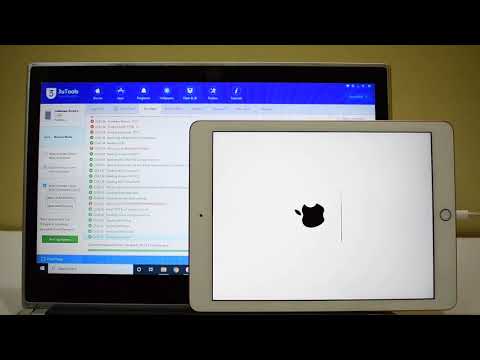

Permanent iCloud Unlock on iPad | Activation Bypass iPhone iPad | Unlocks Hub
⚠️ IMPORTANT DISCLAIMER – READ THIS FIRST
Let’s be completely transparent before we go any further.
The word “permanent” in the context of iCloud bypass is one of the most misunderstood terms in the industry. Here’s what it actually means:
| Type of “Permanent” | What It Really Means |
|---|---|
| True Permanent | The device is officially removed from Apple’s Activation Lock servers. Only Apple or the original owner can do this. |
| Firmware-Level Bypass | The device is tricked into skipping the activation check locally. The lock remains on Apple’s servers and can return after an update or restore. |
| Custom IPSW Method | Modified firmware is installed to bypass activation. Complex, risky, and often temporary. |
Unlocks Hub is a service that provides custom IPSW files and iCloud unlock solutions. But before you proceed, it’s crucial to understand what this service can and cannot do.
🔍 What Is Unlocks Hub?
Unlocks Hub is a third-party service that offers iCloud activation lock removal for iPhones, iPads, and iPods. According to available information:
| Aspect | Detail |
|---|---|
| Service Type | Provides custom IPSW downloads and iCloud unlock solutions |
| Method | Uses custom IPSW firmware to bypass activation locks |
| Cost | Not a free service |
| Device Support | iPhones, iPads, and iPods |
| iOS Support | Various iOS versions |
What is Custom IPSW?
IPSW (iPhone/iPod Software) is the firmware file that Apple uses to restore iOS devices. A custom IPSW is a modified version of this firmware that has been altered to bypass the iCloud activation lock.
The process involves:
-
Downloading a signed IPSW based on your device model and iOS version
-
Modifying key information in the file
-
Installing the modified firmware using iTunes or Finder
⚠️ Important: Custom IPSW creation is described as a complex and delicate process – the slightest mistake can cause device bricking.
🧠 What Does “Permanent” Actually Mean with Unlocks Hub?
This is where things get complicated. The term “permanent” requires careful examination.
What “Permanent” Typically Means for Custom IPSW
| Aspect | Reality |
|---|---|
| Survives Restarts | ✅ Usually yes – the bypass is applied at the firmware level |
| Survives iOS Updates | ❌ Usually no – updating iOS can remove the bypass |
| Survives Factory Resets | ⚠️ Depends on the method – some bypasses survive, others don’t |
| Cellular Signal | ⚠️ May be affected – some methods are WiFi-only |
| Apple ID Removal from Servers | ❌ No – the device remains associated with the original Apple ID on Apple’s servers |
The Hard Truth
A custom IPSW bypass does NOT remove the device from Apple’s Activation Lock servers. It only modifies the local firmware to skip the activation check. The device remains associated with the original Apple ID in Apple’s database.
This means:
-
The bypass can break after an iOS update
-
The bypass may break after a restore
-
The device may re-lock if certain conditions are met
DNS bypass methods – another common “solution” – are even less permanent. They simply fool your device into believing it’s unlocked by connecting to Wi-Fi with a special DNS, but the lock returns the next time your device connects to the internet.
🛠️ How Does Unlocks Hub Work?
Unlocks Hub primarily uses the Custom IPSW method.
The Process (General Overview)
| Step | Action |
|---|---|
| 1 | You contact Unlocks Hub (likely via email or their website) |
| 2 | You provide your device model and iOS version |
| 3 | Unlocks Hub provides a custom IPSW file |
| 4 | You install the custom IPSW using iTunes or Finder |
| 5 | The device bypasses the activation lock |
⚠️ Important: This process is not user-friendly. It requires technical knowledge and carries significant risks.
📊 Unlocks Hub vs. Other Methods
| Method | Cost | Permanence | Risk Level | Works on New Devices? |
|---|---|---|---|---|
| Unlocks Hub (Custom IPSW) | Paid | ⚠️ May break with updates | 🔴 High (brick risk) | ⚠️ Limited |
| tr4mpass (Open-Source) | Free | ⚠️ Varies | 🟡 Moderate | ✅ Up to iOS 26.1 |
| Official Apple Methods | Free | ✅ Permanent | 🟢 Safe | ✅ All devices |
| Dr.Fone / AnyUnlock | Paid | ⚠️ Varies | 🟢 Safe | ✅ Modern devices |
✅ Safer and More Reliable Alternatives
Before using a third-party service like Unlocks Hub, consider these alternatives:
Option 1 – Official Apple Methods (Free & Truly Permanent)
These are the only guaranteed permanent solutions – and they’re completely free.
| Method | How It Works |
|---|---|
| Previous Owner | Ask them to remove the device from iCloud.com/find |
| Apple Support | Provide proof of purchase for official removal |
| iCloud.com | Remove the device yourself if you have Apple ID access |
Option 2 – Open-Source Tools (Free)
| Tool | Platform | Compatibility |
|---|---|---|
| tr4mpass | macOS/Linux/WSL | iOS 12 – 26.1, A5–A17 chips |
| LIBRE-HACKTIVATOR | macOS/Linux | iOS 12 – 16, checkm8-compatible devices |
These tools run locally on your computer – no servers, no payments, no accounts needed. They leverage a permanent hardware vulnerability in the BootROM that cannot be patched by Apple because it’s burned into silicon at the factory.
Option 3 – Reputable Paid Tools
| Tool | Platform | Features |
|---|---|---|
| Dr.Fone – Screen Unlock | Win/Mac | Bypass iCloud lock, screen passcode, Apple ID |
| AnyUnlock | Win/Mac | Remove iCloud activation lock without password |
| EaseUS MobiUnlock | Win/Mac | Bypass Activation Lock, Apple ID, screen passcode |
🚨 Important Warnings and Red Flags
1. Custom IPSW Is Risky
Creating and installing custom IPSW is a delicate process:
-
The slightest mistake can cause device bricking
-
It primarily works on older devices – success on newer models is limited
-
Requires technical knowledge
2. Beware of Scams
Third-party unlock services often have inconsistent results. Many users report:
-
Scams and hidden fees
-
Services that don’t deliver what they promise
-
Fake profiles impersonating legitimate services
Always verify the service through multiple independent sources before paying anything.
3. No Guarantees
-
Success is not guaranteed
-
You may lose your money with no results
-
The bypass may break after an iOS update
4. Legal Considerations
-
✅ You can legally unlock a device you own
-
⚠️ Unlocking someone else’s device without permission is illegal
-
Some services may be operating in a legal gray area
📋 What You Should Do
If You’re Considering Unlocks Hub:
| Step | Action |
|---|---|
| 1 | Verify the device is yours – you must own it legally |
| 2 | Research thoroughly – look for independent reviews and user experiences |
| 3 | Understand the risks – custom IPSW can brick your device |
| 4 | Ask about success rates – get clarity on what “permanent” means |
| 5 | Back up your data – before attempting any bypass |
If You Want a Safer Approach:
| Step | Action |
|---|---|
| 1 | Try official methods first – previous owner or Apple Support |
| 2 | Consider open-source tools – tr4mpass is free and well-documented |
| 3 | Use reputable paid tools – Dr.Fone, AnyUnlock, and EaseUS have established track records |
| 4 | Avoid services that seem too good to be true – they usually are |
🔚 Final Verdict
Is Unlocks Hub a permanent iCloud unlock solution for iPad and iPhone?
The honest answer: It depends on your definition of “permanent.”
| Aspect | Verdict |
|---|---|
| Does it work? | ⚠️ Possibly – for some devices and iOS versions |
| Is it permanent? | ⚠️ Not in the true sense – the device remains linked to Apple’s servers |
| Is it safe? | ⚠️ Risky – custom IPSW can brick devices |
| Is it free? | ❌ No – it’s a paid service |
| Is it legal? | ✅ Yes – if you own the device |
What you should know:
-
✅ Unlocks Hub provides custom IPSW solutions for iCloud bypass
-
⚠️ Custom IPSW methods are complex and risky
-
⚠️ “Permanent” bypasses can break with iOS updates or restores
-
🚨 Beware of scammers – verify the service through multiple sources
-
✅ Official Apple methods are the only guaranteed permanent solution
If you’re the rightful owner – contact Apple. They will help you for free.
If you’re considering third-party services – proceed with extreme caution. Understand the risks, verify the service, and never share your Apple ID password.
💬 FAQ – Unlocks Hub iCloud Unlock
Q: Is Unlocks Hub a legitimate service?
A: Unlocks Hub is a service that provides custom IPSW solutions. However, like many third-party unlock services, results can be inconsistent. Always verify through multiple independent sources.
Q: Does Unlocks Hub offer a permanent iCloud unlock?
A: Custom IPSW bypasses are not truly permanent – the device remains associated with the original Apple ID on Apple’s servers. Updates or restores may break the bypass.
Q: Is Unlocks Hub free?
A: No – it’s a paid service.
Q: What devices does Unlocks Hub support?
A: Various iPhone, iPad, and iPod models. However, custom IPSW methods work best on older devices.
Q: Is using Unlocks Hub safe?
A: Custom IPSW methods carry risks, including the potential to brick your device. Only proceed if you understand the risks.
Q: Is it legal to use Unlocks Hub?
A: Yes – if you are the rightful owner of the device. Unlocking someone else’s device without permission is illegal.
Q: What’s a safer alternative to Unlocks Hub?
A: Official Apple methods (previous owner removal, Apple Support with proof of purchase) are free, safe, and truly permanent. Open-source tools like tr4mpass are also available for free.


Thankyou Sir for your "in my opinion" the ONLY GENUINE VIDEO! Guys I've been on every channel, and they just doing videos to get you to watch the videos so they get paid for 100s of hours per day and more, its wrong. This method does work. This is the only way what is a genuine tutorial. Give him a thumbs up. and subscribe. I DO NOT KNOW THE GUY, AND ITS ONLY 2ND TIME IVE CAME ON HIS CHANNEL, TO PUT THID MESSAGE ON.
Again Sir, thank you very much for showing us the only free way, and working way to do this. Bless You!
2:32 how can I get this File?????
Also want to bypass my forgotten icloud account on ipad mini 2 .2.5.8 (wifi)